One Content, Three Channels: How I Run YouTube, a Blog, and an Online Store With AI
A behind-the-scenes workflow breakdown for anyone tired of recreating the same content three times.
Living in California, surrounded by a tech culture obsessed with “doing more with less,” I’ve watched dozens of creators burn out trying to run a YouTube channel, a blog, and an online store as three separate jobs. For a long time, I was one of them. I’d film a video, then sit down a week later and write a blog post from scratch, then try to remember to update my store page with anything relevant. It was exhausting, inconsistent, and honestly, it showed in the quality of the work.
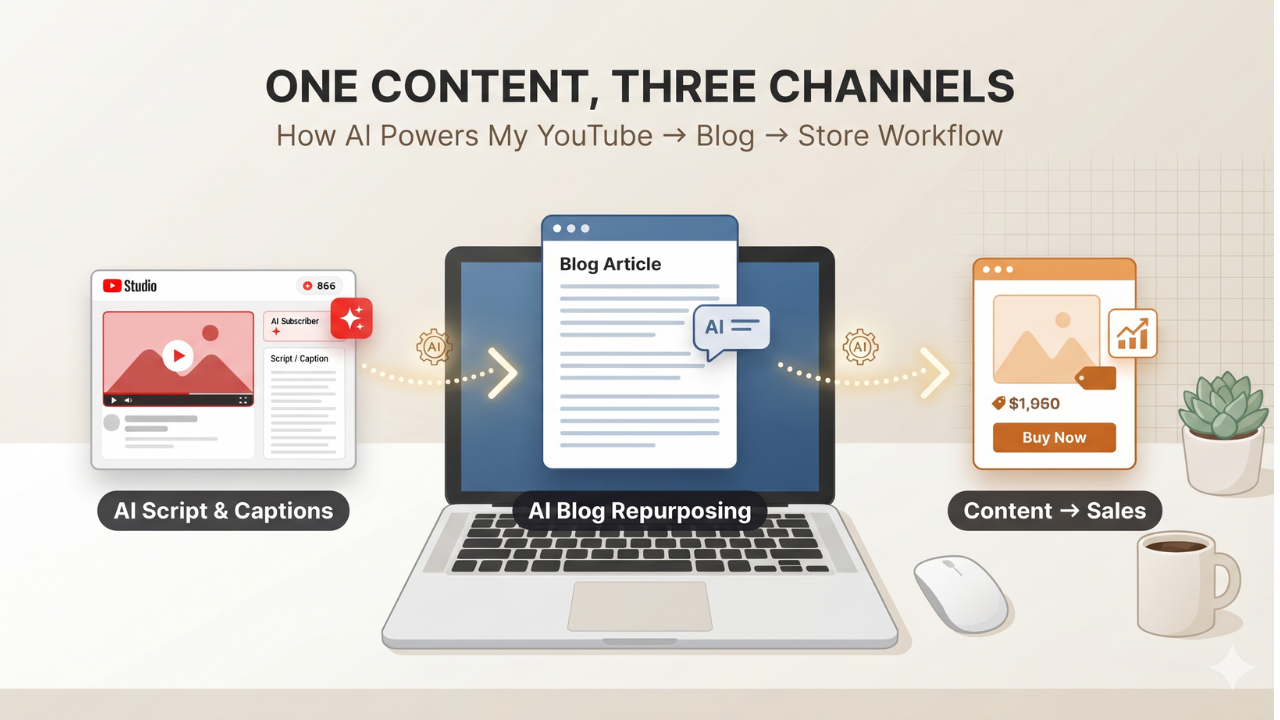
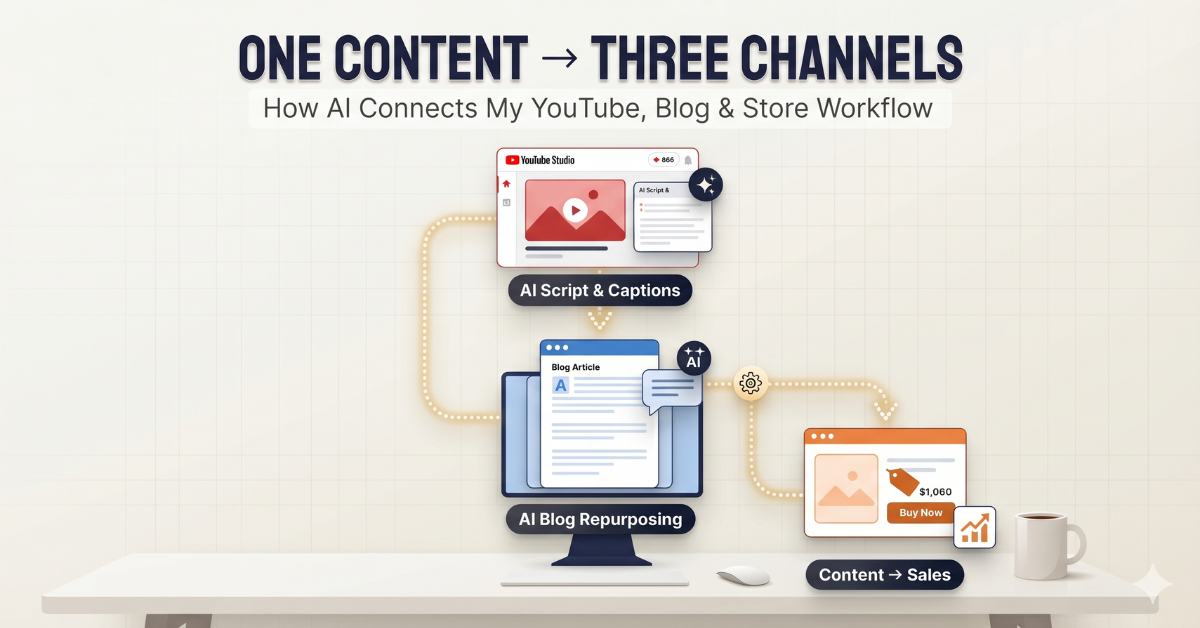
Somewhere in the last year, that changed. Not because I hired a team — I didn’t — but because I stopped treating my three channels as three separate projects and started treating them as one pipeline. A single idea now flows through AI-assisted stages and comes out the other side as a video, an article, and a product page, all reinforcing each other. My YouTube channel has grown to 866 subscribers and over 4,000 watch hours using exactly this system, and I want to walk through how it actually works.
Why Most Creators Fail at Multi-Channel Content
According to a 2025 Content Marketing Institute survey, more than 60% of solo creators and small teams said “lack of time” was their single biggest barrier to publishing consistently across multiple platforms. That tracks with what I experienced firsthand. The problem usually isn’t a lack of ideas — it’s the friction of re-creating the same idea in three different formats.
The Old Way: Three Separate Workflows
- Film and edit a YouTube video (4-6 hours)
- Write a blog post from scratch (2-3 hours)
- Update or build store/product content separately (1-2 hours)
That’s potentially 10+ hours of work for what is, conceptually, a single idea. No wonder so many channels go quiet after a few months.
🔒 Quick Sponsor Note: Before we go further — if you’re managing multiple platforms and logins like I am, online privacy and secure connections matter more than people realize. I personally use NordVPN to keep my research, client logins, and content drafts secure across every device I work from — coffee shops included. If you’re building a content business, this is one of those “set it up once, forget about it” tools. Protect your workflow with NordVPN →
Step 1: Video Planning + AI Script Generation

Every piece of content in my system starts as a single outline, not a script. I jot down the core argument or tutorial structure I want to cover, then use AI tools to expand that outline into a full script, complete with natural pacing cues and suggested b-roll moments. The AI also generates the closed captions automatically, which matters more than people think: YouTube’s own data shows that videos with accurate captions see meaningfully higher watch-through rates, particularly among non-native English speakers and mobile viewers watching with sound off.
What I Actually Use AI For Here
- Outline expansion — turning 5 bullet points into a structured 1,200-word script
- Caption generation — accurate, timestamped subtitles in minutes instead of hours
- Hook testing — generating 3-4 alternative opening lines and picking the strongest
The key discipline here is that I never let AI write the whole script blind. I feed it my voice, my past transcripts, and specific instructions about tone. That’s the difference between AI-assisted content and the generic, soulless AI content that audiences — and increasingly, brands — are getting tired of seeing.
Step 2: Turning the Video Into a Blog Post
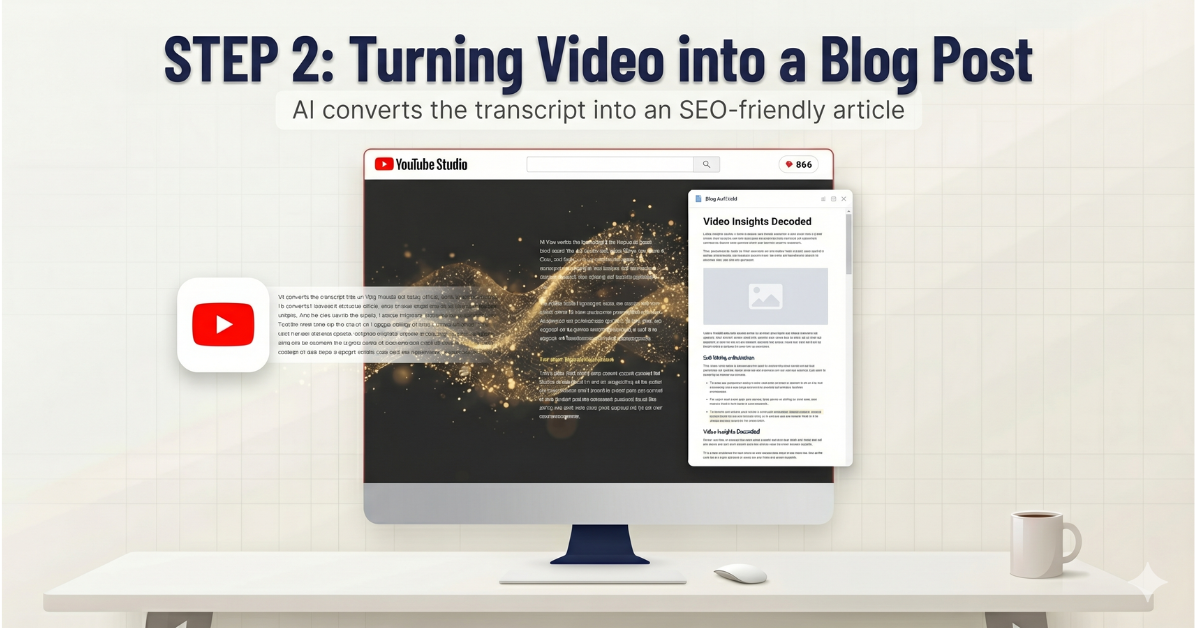
This is where most creators leave value on the table. The video transcript I generated in Step 1 isn’t just for captions — it’s the raw material for an entirely separate piece of content. I run the transcript through an AI editing pass that restructures it for reading rather than watching: adding subheadings, cutting filler words, inserting data and sources, and reformatting spoken explanations into scannable paragraphs and lists.
Why This Matters for SEO
A blog post built this way isn’t a transcript dump — it’s a genuinely different format optimized for search engines, with its own keyword structure, internal links, and formatting. Search Engine Journal has repeatedly noted that long-form, well-structured posts (1,500+ words with clear headers) consistently outperform shorter content in organic rankings, which is exactly why this step is non-negotiable in my pipeline rather than an afterthought.
🌐 Sponsor Note: None of this works without a fast, reliable place to host it. I run Dannywrites.us on Bluehost specifically because WordPress performance directly affects both reader experience and SEO rankings — and a slow site undoes everything you just read about structure. If you’re starting your own content hub, Bluehost’s WordPress-optimized hosting is the most beginner-friendly option I’ve personally tested. Get Bluehost hosting here →
Step 3: Connecting Content to the Store
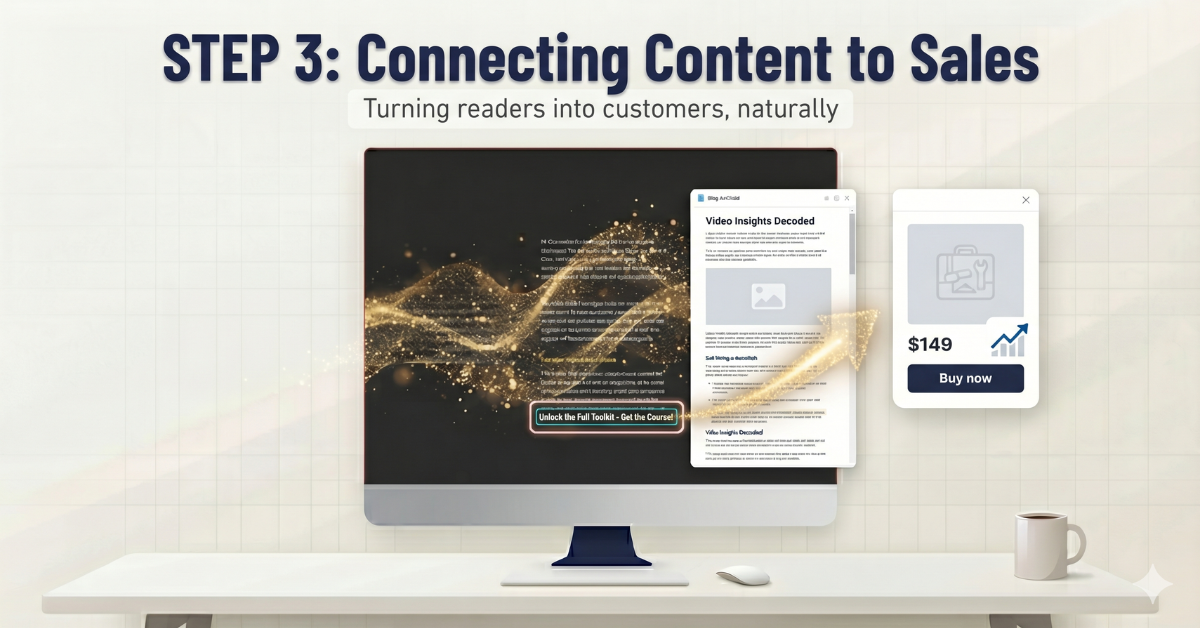
The final stage is where content stops being just content and starts being a business asset. Every blog post I publish includes at least one natural, contextual link to a relevant product or recommendation — never a hard sell, just a logical next step for someone who’s already engaged enough to read 1,500 words. This is the same principle major media-to-commerce brands use: don’t sell at the reader, guide them.
Three Conversion Touchpoints I Use
- In-content recommendation boxes — placed where the topic naturally calls for a tool or product
- End-of-post CTA — a short, low-pressure invitation to check out a related resource
- Sidebar/related-content widgets — connecting blog readers back to relevant videos and products
What Brands Are Actually Looking For Right Now
This matters beyond personal workflow — it’s becoming a hiring trend. As more companies lean on AI to mass-produce content, many are realizing their output sounds identical to every competitor using the same tools. What they increasingly need isn’t more AI content — it’s someone who can build a system: maintaining a consistent brand voice, managing quality control across formats, and making AI output sound human again. That’s a skill set built directly from running a pipeline like the one above.
💼 Sponsor Note: If managing this kind of workflow sounds appealing but you don’t want to build every piece yourself, this is exactly the kind of work freelancers specialize in. I use Fiverr to find scriptwriters, thumbnail designers, and SEO editors who plug directly into a workflow like mine. And if you’re the one with these skills — content systems, AI workflow design, brand-voice editing — Fiverr is also where you can list those exact services and get discovered by people building pipelines just like this one. Explore Fiverr freelancers or list your skills →
Lessons I’d Tell Any Creator Starting This Today
1. Start With One Channel, Not Three
I didn’t build all three channels at once. I built YouTube first, got the content engine running, and only added the blog once repurposing became repeatable. The store came last, once there was already an audience worth converting.
2. AI Should Edit Your Voice, Not Replace It
The single biggest quality difference between my content and generic AI content is that I always feed AI tools my own past writing and speaking patterns before asking them to generate anything new.
3. Track Time, Not Just Output
The real win of this system isn’t that I publish more — it’s that I publish the same amount in roughly a third of the time, which is the only way a one-person operation scales sustainably.
Final Thoughts
Running three channels used to feel like running three businesses. Now it feels like running one idea engine with three outputs. The tools matter less than the system around them — and that system is something any creator, at any size, can build with the same AI tools that are widely available today.
If you’re exploring health, beauty, senior living, or US-Korea lifestyle content as part of your own pipeline, you can also check out our partner sites: Gmartus and Wellbeing Prime for health content, Wemmerce and Dewyfile for beauty, Senior Journey Blog, and Seoulcast for Korea-US lifestyle content.
You can also browse curated tools and products I personally recommend on my Amazon Storefront.
💡 Frequently Asked Questions (FAQ)
Q1: Isn’t repurposing the same content across three channels just duplicate content?
Not when done correctly. Each format — video script, blog article, product page — is restructured for how that platform’s audience actually consumes information. Search engines and viewers respond to format-native content, not copy-pasted text, which is why the AI editing step in Stage 2 focuses specifically on reformatting rather than reposting.
Q2: How much time does this workflow actually save compared to creating each piece separately?
In my own experience, the full three-channel cycle dropped from roughly 10+ hours of separate work down to 3-4 hours total, mainly because the script and transcript from Stage 1 become the raw material for everything downstream instead of starting from a blank page each time.
Q3: Will relying on AI tools make my content sound generic, like everyone else’s AI content?
Only if you skip the voice-training step. The reason this system avoids sounding generic is that AI is never asked to generate content cold — it’s always fed prior scripts, tone guidelines, and specific brand-voice instructions first, which keeps the output distinctly personal rather than templated.
🌿 Weekly wellness, health & beauty insights — straight to your inbox
Free subscription · Cancel anytime