Gumroad AI Templates: The Passive Income Playbook Nobody Is Talking About (Yet)
By Danny | Dannywrites.us — Digital Economy & Creator Finance Desk
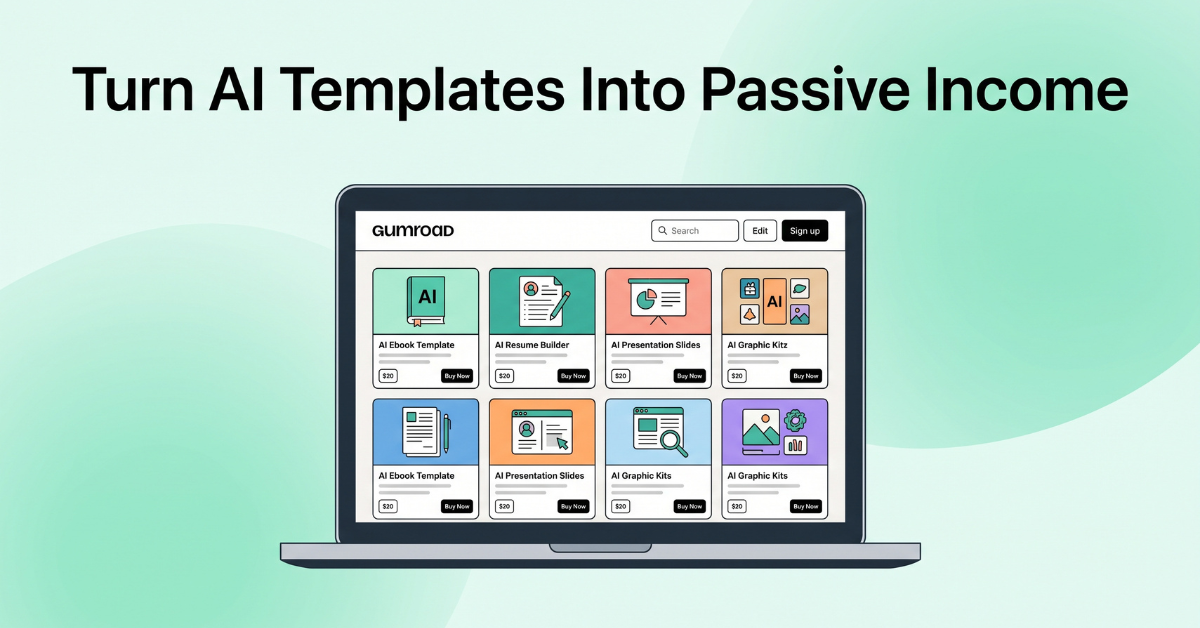
Passive income through AI templates is quietly becoming one of the most efficient digital business models of 2026.
Gumroad AI templates passive income is one of the most accessible digital business models available to solo creators right now — and this guide breaks down the exact system to build it.
Living in California, I have watched two very different tech waves collide in the same twelve-month window. The first is the explosion of generative AI tools that let anyone produce professional-grade documents, images, and code in seconds. The second is the quiet maturation of Gumroad from a niche indie-creator storefront into a legitimate, high-volume marketplace for digital products. Put those two forces together, and you get something genuinely new: a passive income model that does not require a large audience, a manufacturing budget, or even a particularly deep skill set to start.
This is not a “get rich quick” story, and I want to be upfront about that from the first paragraph. What this article covers instead is a structured, realistic, and repeatable system for building a small but durable income stream by selling AI-assisted digital templates on Gumroad — the kind of income that, once built correctly, keeps generating sales while you sleep, while you make YouTube videos, or while you work a completely unrelated day job.
Who This Guide Is Actually For
Before going further, it is worth being specific about who benefits most from this model. This is not aimed at people looking for a single viral windfall. It is aimed at three overlapping groups: freelancers who already understand a specific workflow deeply enough to package it, content creators who already have some form of audience (even a small one) and want a second monetization stream that does not depend on brand deals, and side-hustlers who have an hour or two a week to invest consistently over several months rather than a single weekend burst of effort.
If you fall into any of those three categories, the rest of this article is a direct, step-by-step map. If you are looking for a strategy that requires zero ongoing effort after the first day, this is not that strategy — nothing genuinely passive exists without an upfront investment of either time, money, or both. What AI templates offer is a favorable ratio: a relatively small upfront time investment relative to the multi-year revenue tail a well-built template can generate.
It is also worth acknowledging honestly that not every attempt will succeed on the first try, and that is fine. The structure laid out in this article is designed specifically so that even a template that does not sell well still generates useful information — about pricing, positioning, or audience — that directly improves your second and third attempts. Very few sellers get their first product exactly right, and almost none of the sellers who eventually build a meaningful income stream did so from a single flawless launch.
By the end of this piece, you will understand exactly what Gumroad is, why AI templates have become one of the fastest-growing product categories on the platform, which template types are currently converting best, how to build, price, and market them, and — just as importantly — the mistakes that quietly kill most sellers before they ever get their first hundred sales.
Gumroad AI Templates Passive Income vs. Other Models
It is worth briefly placing this model next to the other passive income strategies that get the most attention online, because the comparison explains why so many creators are shifting their attention here.
Versus Dropshipping
Dropshipping requires ongoing ad spend, exposes sellers to supplier reliability issues, and typically operates on thin margins after advertising costs. AI templates carry no inventory risk, no shipping delays, and no supplier dependency, and the margin on each sale after the first is close to total, since production cost does not scale with volume.
Versus Affiliate Marketing
Affiliate income depends entirely on someone else’s product, pricing, and commission structure, all of which can change or disappear without notice. A template you create and own is not subject to a third party revoking your income stream overnight, and you retain full control over pricing and positioning indefinitely.
Versus Online Courses
Courses typically require significantly more upfront production time — often dozens of hours of filming, editing, and structuring — before the first sale is even possible. A template can go from concept to listed product in a single afternoon, making it a far faster way to validate whether an audience will pay for a given solution before committing to a larger production effort.
Versus Rental Real Estate or Dividend Investing
Traditional passive income vehicles like rental property or dividend portfolios require substantial upfront capital that most beginners simply do not have. AI templates require time and skill rather than capital, which makes this one of the few passive income models genuinely accessible to someone starting with little more than a laptop and an internet connection.
📌 Quick Insight: No passive income model is entirely passive at the start. What makes AI templates attractive is the unusually short distance between the initial time investment and the first dollar of revenue, compared to almost any other model on this list.
What Is Gumroad, and Why Does It Matter in 2026?

Gumroad has evolved from a simple payment link into a full creator commerce platform.
Gumroad started as a dead-simple tool: a way for independent creators to sell a single digital file with a single link, no storefront setup required. Over the past few years, that simplicity has become its biggest competitive advantage rather than a limitation. While platforms like Shopify are built for physical inventory and complex logistics, Gumroad is built for exactly one thing — selling digital goods with almost zero friction.
For someone building a template business, that distinction matters enormously. There is no shipping, no returns processing, no warehouse, and no customer service overhead tied to a broken product. You upload a file once, set a price, and Gumroad handles checkout, payment processing, EU VAT compliance, and file delivery automatically.
Gumroad vs. Other Digital Marketplaces
New sellers frequently ask whether they should list on Gumroad, Etsy, or a standalone Shopify store. Each has a place, but for AI templates specifically, Gumroad tends to win on three fronts: lower setup friction, a buyer base that already expects to purchase digital-only goods (unlike Etsy, where buyers often expect physical items), and a discovery engine tuned specifically toward creator-made digital products rather than mass-produced goods.
- Etsy: Larger built-in search traffic, but buyers are conditioned to expect physical products, and fees combined with listing costs can erode margins on lower-priced templates.
- Shopify: Full control and branding, but requires you to build your own traffic from scratch — there is no built-in discovery mechanism at all.
- Gumroad: A middle ground — enough built-in discovery to help a new product get initial traction, combined with the flexibility to build a custom-branded storefront page over time.
Understanding the Fee Structure
Gumroad charges a transaction fee on each sale rather than a flat monthly subscription, which is precisely why it is so accessible to beginners — there is no financial risk in listing a product that never sells. This fee structure means your downside is capped at a small percentage per sale, while your upside scales linearly with volume. For a seller testing five or six template ideas in their first quarter, this is a meaningfully lower-risk structure than committing to a paid storefront subscription before validating demand.
Why Sellers Are Migrating to Gumroad Specifically
- No monthly subscription fee to list products — you only pay a small transaction fee when you actually make a sale.
- Built-in audience discovery through Gumroad Discover, which surfaces trending products to browsing shoppers.
- Native support for “pay what you want” pricing, bundles, tiered pricing, and license key delivery — all useful for template sellers.
- Direct email list building baked into every purchase, letting you re-market future products to past buyers at no extra cost.
This last point is the one most beginners underestimate. Every single sale on Gumroad adds a customer to your list. If you sell a $9 Notion template today, you have a warm audience for a $29 template bundle next month — without spending a dollar on advertising to reach them again. Treat this list as an asset from day one, not an afterthought. Sellers who export and nurture this list with occasional value-driven emails consistently see higher repeat-purchase rates than sellers who never communicate with past buyers again.
📌 Quick Insight: Sellers who build their AI template business on Gumroad are not just selling files — they are quietly assembling an owned audience they can monetize repeatedly, something a one-off Etsy sale or a marketplace listing rarely allows.
Setting Up Your First Product Page: A Field Guide
Before your first template goes live, run through this short setup checklist. Skipping any single item here is one of the most common reasons an otherwise good product fails to convert in its first week.
- Cover image: Use a clean mockup showing the actual product interface, not a generic stock photo unrelated to what the buyer is purchasing.
- Title: Lead with the outcome, not the format. “Plan Your Freelance Business in One Dashboard” beats “Notion Freelance Template.”
- Description structure: One-sentence hook, three-bullet “what’s included” list, one short paragraph on who it’s for, and a closing line addressing the most common hesitation.
- Preview content: At minimum three screenshots; ideally one short embedded video walkthrough under sixty seconds.
- Pricing display: Decide upfront whether you are using a single fixed price, a “pay what you want” minimum, or a limited-time launch discount, and set it before publishing rather than adjusting reactively after low early sales.
Why AI Templates Are Selling Fast in 2026
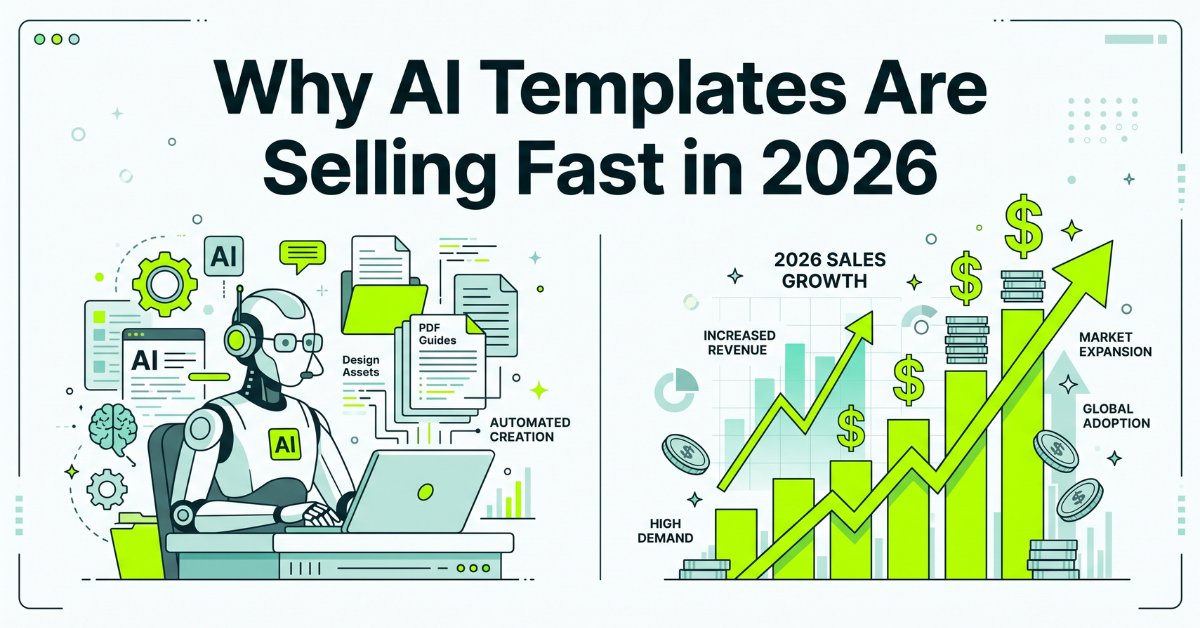
The intersection of AI adoption and template demand has created a genuine market gap.
The core reason AI templates are outperforming almost every other digital product category right now is simple: millions of people have adopted AI tools like ChatGPT, Midjourney, and Notion AI over the past two years, but very few of them know how to use those tools efficiently. A template is not the AI tool itself — it is the shortcut that turns a blank, intimidating text box into a guided, structured, and repeatable workflow.
The “Blank Page Problem” Is a Business Opportunity
Anyone who has opened ChatGPT for the first time knows the feeling: the tool is powerful, but the blank prompt box is paralyzing. What do you even type? A well-designed prompt template solves that paralysis instantly. It converts an intimidating tool into a fill-in-the-blank experience, and people are consistently willing to pay a small amount of money to skip the trial-and-error phase entirely.
Who Is Actually Buying These Templates?
It helps to think about buyers in three distinct segments, because each segment responds to different marketing angles. The first segment is small business owners and solopreneurs who understand the value of time far better than the value of a discount — they will happily pay $30 for a template that saves them three hours of setup work. The second segment is students and early-career professionals who are AI-curious but time-poor, often discovering templates through short-form video rather than search. The third segment is fellow creators and freelancers who need repeatable systems for client work — proposal templates, content calendars, and pricing calculators fall squarely into this bucket.
A fourth, smaller but often overlooked segment is employees inside larger companies — marketing coordinators, HR generalists, and operations staff who purchase templates personally because going through official procurement for a twenty-five dollar tool is not worth the internal paperwork. This segment tends to convert well on professional-network-adjacent traffic and responds strongly to templates that reference internal reporting, stakeholder updates, or team onboarding in their titles.
Understanding which of these four segments you are building for should shape every decision that follows — your listing headline, your demo video script, and even which promotional channel you prioritize. A template aimed at solopreneurs belongs on YouTube and in small-business Facebook groups; a template aimed at internal corporate use cases performs better distributed through professional communities and newsletter placements.
Low Overhead, Unusually High Margins
Unlike physical products, an AI template has essentially zero marginal cost. Once you build a Notion dashboard, a prompt pack, or a spreadsheet model, you can sell it 10 times or 10,000 times without producing anything new. There is no inventory to restock and no shipping cost to absorb. Every additional sale after the first is close to 100% profit, minus Gumroad’s transaction fee.
Short Production Cycles Compared to Traditional Digital Products
A well-scoped template can realistically be built in a single afternoon, compared to the weeks or months required to produce a full online course or a piece of custom software. This means a solo creator can realistically launch, test, and iterate on five or six different template products in the time it would take to finish one traditional info-product. This speed advantage compounds: each launch teaches you something about what your specific audience actually wants, information that is nearly impossible to gather from market research alone.
The Trust Transfer Effect
There is also a psychological factor at play that is easy to overlook. Buyers increasingly trust AI-labeled products more than they did even a year ago, because the novelty has worn off and the practical utility has become obvious through daily use of tools like ChatGPT at work or school. A product description that clearly explains how AI was used to accelerate a workflow no longer triggers skepticism the way it might have in 2023 — in most niches, it now signals modernity and efficiency instead.
📌 Quick Insight: The template model rewards speed and iteration over perfection. A “good enough” template shipped today will teach you more about what sells than a “perfect” template you are still polishing three months from now.
5 AI Template Types You Can Sell Today
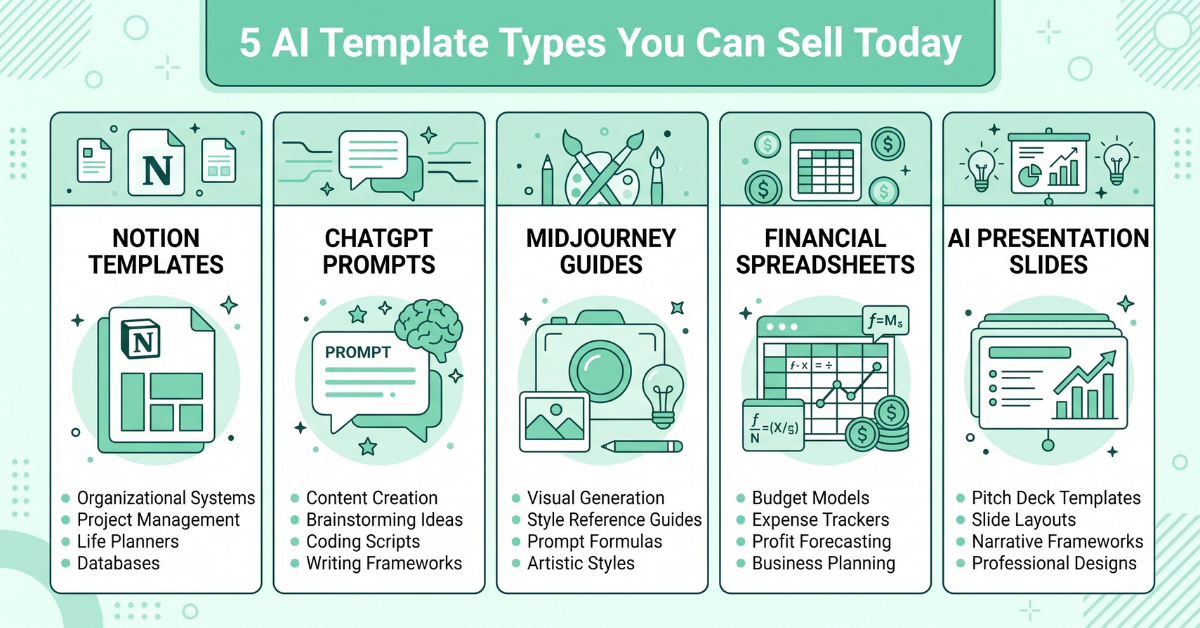
Not all templates are created equal — some categories consistently outperform others.
Not every template category performs equally well. Based on what is consistently trending in Gumroad Discover and creator community discussions, five categories stand out as the strongest entry points for a new seller. Each one is broken down below with what it is, why it sells, and a realistic example of a specific product you could build this week.
1. Notion AI Dashboards
Notion remains the dominant productivity tool for freelancers, students, and small teams, and a pre-built dashboard that integrates AI-assisted workflows — content calendars, client trackers, or personal finance dashboards with automated formulas — is one of the easiest entry points. Buyers are not paying for the software; they are paying for the hours of setup time you have already done for them.
Example product: “The Freelancer OS” — a single Notion workspace combining client tracking, invoice status, project deadlines, and a built-in AI prompt library for writing client updates. This kind of all-in-one system consistently outperforms single-purpose templates because it becomes part of a buyer’s daily routine rather than a one-time use tool.
2. ChatGPT Prompt Packs
Niche-specific prompt packs continue to sell well precisely because generic advice is everywhere but specific, tested prompt sequences are not. A “50 ChatGPT Prompts for Real Estate Agents” pack is far more valuable to a realtor than a generic “500 ChatGPT Prompts” file, because it removes the adaptation work entirely.
Example product: “The Listing Description Generator” — a set of 25 tested prompt sequences that turn a few bullet points about a property into a polished, emotionally compelling listing description in under two minutes. The narrower the promise, the easier it is to market with a single clear headline.
3. Midjourney and Image-Generation Prompt Libraries
As visual AI tools have matured, buyers increasingly want curated prompt formulas that reliably produce a specific aesthetic — think consistent brand photography styles, children’s book illustration styles, or product mockup styles — rather than generic prompt lists.
Example product: “Consistent Character Prompts for Children’s Books” — a formula-based prompt system that keeps a single illustrated character visually consistent across dozens of generated images, solving one of the most commonly reported frustrations among self-published authors using AI art tools.
4. AI-Enhanced Spreadsheet and Financial Models
Google Sheets and Excel templates that incorporate AI-assisted formulas, automated categorization, or built-in dashboards for budgeting, freelance invoicing, or small business bookkeeping remain some of the highest-priced template products on Gumroad, often selling in the $19–$49 range.
Example product: “The Freelance Tax Estimator” — a spreadsheet that automatically categorizes income and expenses, estimates quarterly tax obligations, and flags deductible categories. Financial templates command higher prices because the perceived cost of getting them wrong is high, which makes buyers less price-sensitive.
5. AI-Assisted Design and Resume Templates
Canva and Figma templates paired with AI prompt guidance for customization — resumes, portfolios, social media kits — appeal to a very large, very motivated buyer base: job seekers and small business owners who want a professional look without hiring a designer.
Example product: “The AI-Optimized Resume Kit” — a Canva resume template paired with a ChatGPT prompt sequence that rewrites bullet points to match applicant-tracking-system keyword patterns for a specific job posting. Bundling a design asset with an AI workflow like this differentiates the product from the thousands of static resume templates already on the market.
6. AI Workflow Automation Blueprints
As no-code automation tools have become mainstream, buyers increasingly want documented blueprints that chain an AI tool together with an automation platform to remove a repetitive task entirely — for example, automatically drafting a personalized follow-up email whenever a new lead fills out a form.
Example product: “The Auto-Follow-Up Blueprint” — a documented, replicable setup connecting a form tool to an AI drafting step and an email send step, sold as a step-by-step guide plus a downloadable configuration file. Buyers in this category tend to skew toward small agencies and consultants who bill by the hour and are highly motivated to eliminate manual busywork.
7. AI-Assisted Educational and Study Templates
Students and lifelong learners represent a large, underserved buyer segment for structured study systems that pair note-taking templates with AI-generated practice questions or spaced-repetition prompt sequences.
Example product: “The AI Study Sprint System” — a template combining a Notion-based study tracker with a set of prompts that convert lecture notes into practice quiz questions automatically. This category benefits enormously from short-form video demonstrations, since students are among the most active short-form video audiences.
How to Choose Which Type Fits You First
If you are unsure where to start, choose based on what you already understand deeply rather than what looks most popular. A former recruiter has an unfair advantage building resume templates. A bookkeeper has an unfair advantage building financial models. Your existing professional knowledge is what will make your first template noticeably better than a generic competitor’s, even if your design skills are still developing.
From Idea to Product: The 4-Step Creation Process
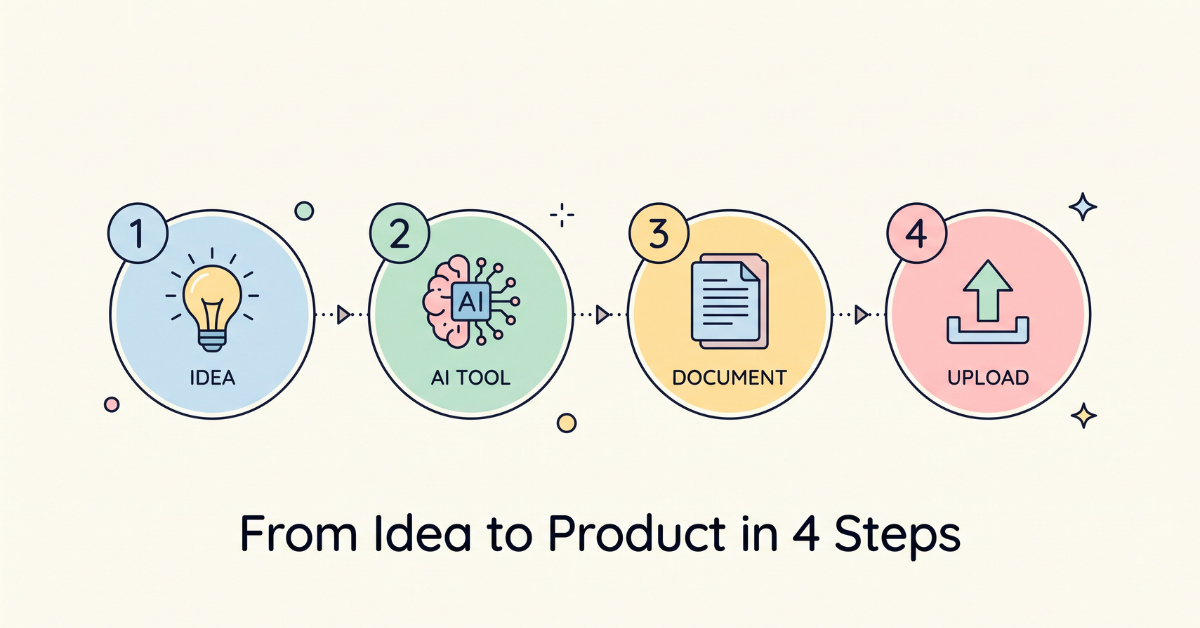
A repeatable workflow turns template creation from a hobby into a system.
One of the most common mistakes new sellers make is treating every template as a one-off creative project. The sellers who actually build sustainable income treat template creation as a repeatable, four-stage system that they can run again and again with steadily decreasing effort each time.
Step 1: Validate the Idea Before Building Anything
Before opening any design tool, search Gumroad Discover, Etsy, and Reddit for the problem you intend to solve. If three or more sellers are already successfully selling something similar, that is a strong signal of real demand — not a reason to avoid the niche. Look specifically at the reviews on competing products: complaints and feature requests in existing reviews are essentially a free product roadmap handed to you by the market.
Step 2: Use AI Tools to Draft the Core Structure
Use ChatGPT or Claude to draft the underlying logic, categories, or prompt sequences of your template. This step alone can cut production time by more than half compared to designing everything manually from a blank document. Ask the AI tool to generate multiple structural variations, then combine the strongest elements of each rather than accepting the first output wholesale.
Step 3: Design and Polish the Final File
Move the AI-drafted content into your final tool of choice — Notion, Google Sheets, Canva, or a plain PDF — and focus your remaining effort on visual polish. Buyers judge perceived quality within seconds, so consistent fonts, spacing, and color use matter more than most first-time sellers expect. A simple two-color palette applied consistently throughout looks more professional than five different colors used inconsistently.
Step 4: Package, Upload, and Write a Conversion-Focused Listing
Your Gumroad listing page is doing the actual selling. Lead with the specific outcome the buyer gets, not a feature list. “Plan a month of content in 20 minutes” converts better than “A content calendar template.” Include at least three screenshots showing the product in actual use, and if possible, a short screen-recording demo embedded directly in the listing.
Building a Repeatable Production Checklist
Once you have shipped your first template using these four steps, write down exactly what worked as a personal checklist. The goal is to reduce your second template’s production time by at least a third compared to your first. Sellers who treat this as a documented, improvable process consistently ship more products per quarter than sellers who start from scratch mentally every single time.
📌 Quick Insight: Most successful template sellers spend more time on the product listing page than on the actual template design. The file solves the problem — the listing is what convinces someone to buy it in the first place.
The Software and Tools Stack You Will Actually Need
One reason this business model is so accessible is that the required tool stack is inexpensive and, in most cases, already free at the tier a beginner needs. There is no need to invest hundreds of dollars in software before your first sale.
Core Tools
- ChatGPT or Claude (free or low-cost tier) for drafting structure, copy, and prompt sequences.
- Notion, Google Sheets, or Canva (all free at the starter tier) as your actual build environment, depending on template type.
- Gumroad itself, which requires no upfront cost to create a storefront.
- A free screen-recording tool such as Loom’s free tier, for creating demo videos for your listing and YouTube channel.
Optional Tools Worth Adding Later
Once you have validated demand with your first product, reinvesting a portion of early revenue into a paid design tool subscription, an email marketing platform, or a faster AI model subscription typically pays for itself within the first month of use, since these tools directly increase either production speed or conversion rate.
File Organization and Version Control Habits
As your catalog grows past two or three templates, a simple but consistent file-naming and folder structure saves considerable time. Keep a master working copy separate from the exported buyer-facing file, date-stamp major revisions, and maintain a short changelog for each template so that when a buyer asks a support question, you can quickly confirm exactly which version they purchased and what has changed since. This habit feels unnecessary with one product and becomes essential once you are juggling five or six.
Choosing Between AI Models for Different Tasks
Different AI tools tend to have different relative strengths — some are stronger at structured reasoning and long-form drafting, while others are stronger at generating visual assets or short, punchy marketing copy. Rather than committing to a single tool for every task, it is worth testing two or three options for whichever specific step in your workflow — drafting, image generation, or copywriting — is currently taking the most time, and standardizing on whichever produces usable output with the least amount of editing required afterward.
How to Price Your AI Templates for Maximum Sales
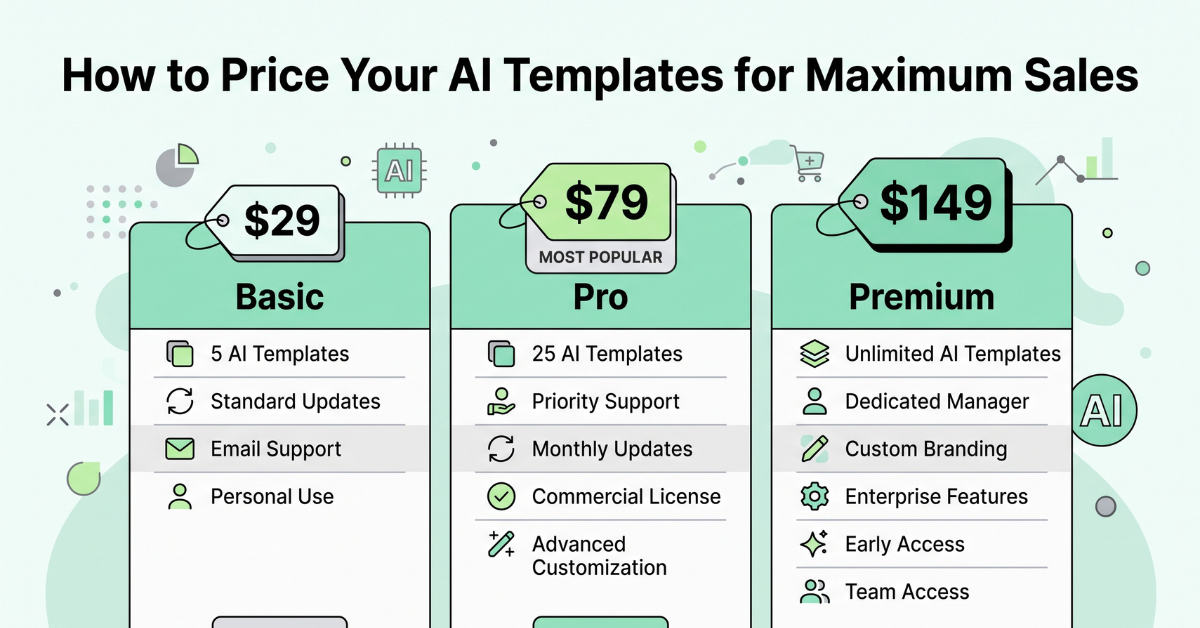
Pricing strategy affects conversion rate just as much as product quality.
Pricing is where a surprising number of otherwise excellent templates underperform. Price too low, and buyers subconsciously assume the product is low quality. Price too high with no context, and you lose casual buyers before they ever click “add to cart.”
The Three-Tier Pricing Ladder
| Tier | Typical Price | Best For |
| Starter | $5 – $9 | Single-purpose prompt packs, simple checklists |
| Core | $15 – $29 | Notion dashboards, design template bundles |
| Premium | $39 – $79 | Complete financial models, multi-template bundles with lifetime updates |
Anchor Pricing Works Even on a Single Product
Displaying a higher “regular price” struck through next to a lower “launch price” consistently increases conversion, even when the discount is modest. Gumroad’s built-in discount code and “limited time” tag features make this easy to implement without any extra tools.
“Pay What You Want” as a List-Building Tool
Setting a minimum price with a “pay what you want” option can be an effective strategy for your very first product specifically, since it lowers the barrier for undecided buyers while still capturing revenue from those willing to pay more, and adds every purchaser to your email list regardless of what they paid.
Bundle Early, Bundle Often
Once you have three or more individual templates, bundling them at a modest combined discount almost always increases average order value, because buyers perceive a bundle as inherently better value than any single item. A common approach is pricing a three-template bundle at roughly the price of two individual templates, which frames the bundle as an obvious deal.
Legal, Licensing, and Copyright Considerations
Before listing anything publicly, it is worth spending a small amount of time understanding the basic legal framework around AI-assisted digital products, since this is an area where a little diligence upfront prevents much larger headaches later.
Who Owns What You Create With AI Assistance
In general, when you use an AI tool to help draft the structure, copy, or prompt sequences inside your own original template, the resulting compiled product is yours to sell, provided you comply with the terms of service of whichever AI tool you used. Most major AI platforms explicitly grant users commercial rights to outputs generated through standard use, but terms differ between providers and do change over time, so a quick review of your specific tool’s current commercial-use policy before your first launch is a sensible habit rather than an optional one.
Disclosing AI Involvement Transparently
Being upfront in your product description that AI tools were used in the creation process is both good practice and, in most jurisdictions, aligned with emerging consumer-transparency expectations. In practice, transparency tends to build buyer trust rather than undermine it, since it signals you understand and are competent with the tools your buyer is also trying to learn.
Avoiding Third-Party Intellectual Property Issues
Never include copyrighted characters, trademarked brand names, or another creator’s proprietary framework inside a template you plan to sell without explicit permission. This applies equally to AI-generated images — if a generated image closely resembles a specific copyrighted character or a real public figure, do not use it in a commercial product listing.
Setting Clear Usage Terms for Your Buyers
Include a short, plain-language license statement with every template specifying whether buyers can use it for personal use only, client work, or resale. Most template sellers grant personal and client-work use while explicitly prohibiting resale or redistribution of the template file itself, which protects the long-term value of the product for future buyers.
📌 Quick Insight: This section is general information, not legal advice. If you plan to build a template business at meaningful scale, a brief one-time consultation with a professional familiar with digital product licensing in your jurisdiction is a worthwhile investment.
Marketing Your Templates: YouTube, Blog & Social

Distribution, not just product quality, determines who actually sees your template.
Even the best template will not sell itself. Distribution is the single most underinvested part of most new sellers’ strategy, and it does not require a large existing audience to get started.
YouTube: The Highest-Leverage Channel for Templates
A short screen-recording demo showing the template solving a real problem — “Watch me plan my entire month of content in 5 minutes” — consistently outperforms polished, scripted promotional videos. YouTube’s search functionality also means a well-titled tutorial video can keep driving traffic to your Gumroad link for years after publishing. For a creator already building a channel around 866 subscribers and 4,000 watch hours, this template strategy pairs naturally with existing tutorial-style content, since a demo video doubles as both an audience-growth video and a direct sales tool.
Blog Content for Long-Term Search Traffic
A blog post that solves a related problem — “How I Organize My Freelance Business in Notion” — and naturally links to your template as the solution builds compounding organic search traffic that does not require ongoing ad spend. Unlike social media posts, a well-optimized blog post can continue ranking and converting for years with only occasional updates.
Short-Form Social as a Discovery Engine
Platforms like TikTok and Instagram Reels reward “before and after” style demonstrations. A 15-second clip showing a messy, disorganized workflow transformed by your template is one of the most reliable content formats for driving impulse purchases.
Reddit and Niche Communities: Underused but Powerful
Genuinely helpful participation in relevant subreddits or niche forums — answering questions related to your template’s problem space, with a soft mention of your product only where relevant — often converts at a surprisingly high rate, since the audience is already actively searching for a solution to the exact problem you have packaged.
Email as the Compounding Layer Underneath Everything
Every visitor who buys from any of the channels above lands on your email list automatically through Gumroad. A simple monthly email highlighting a new template, a use-case tip, or a limited-time bundle discount reactivates past buyers at essentially zero additional acquisition cost, and this channel tends to become more valuable, not less, the longer you run your template business.
Building a Simple Content Calendar for Template Promotion
Consistency beats intensity in this model. Rather than a single large promotional push, a sustainable rhythm looks like one YouTube video every two weeks demonstrating a template in a real use case, one blog post per month targeting a specific search term related to your niche, and two or three short-form social clips per week repurposed from your longer video content. This cadence is realistic for a solo creator to maintain alongside other commitments and compounds meaningfully over a two-to-three month window.
Common Buyer Objections and How to Answer Them in Your Listing
Most hesitation at the point of purchase falls into a small number of predictable objections, and addressing them directly in your listing copy — rather than hoping buyers do not think of them — measurably improves conversion.
- “Will this actually work for my specific situation?” Address this with a short line clarifying exactly who the template is and is not built for.
- “What if I don’t know how to customize it?” Mention any included setup video or written instructions directly in the description.
- “Is this worth the price compared to a free version?” Briefly reference the specific time-saving or outcome that justifies the price relative to building it manually from scratch.
📌 Quick Insight: You do not need a large audience to start — you need one consistent traffic source. Sellers who pick a single channel (usually YouTube or blog SEO) and go deep almost always outperform sellers who spread themselves thin across five platforms at once.
Real Creator Success Story: From $0 to $1,000 a Month

Small, consistent product launches compound faster than most creators expect.
Consider a fairly typical trajectory that plays out repeatedly across the creator economy: a part-time freelancer launches a single $12 Notion template for freelance client management. In the first month, with no paid advertising, the template sells a modest 14 copies — a little under $170. Not life-changing, but proof of concept.
Month One to Three: Building the Distribution Layer
Rather than stopping there, the creator publishes two YouTube tutorials showing the template in action, cross-posts short clips to TikTok, and writes a blog post targeting the search term “freelance client tracker template.” By month three, monthly sales climb past 60 copies as the YouTube videos begin ranking in search and the blog post starts pulling in organic traffic.
Month Four to Six: Expanding the Catalog
By month six, the creator has released two additional templates — a pricing calculator and an invoice generator — and bundles all three together at a modest discount. Combined bundle and individual sales push monthly revenue past the $1,000 mark, almost entirely from organic search and video traffic, with zero ongoing advertising spend.
What Made the Difference
The pattern here is not luck. It is the direct result of stacking three compounding assets — the product, the video content, and the blog content — that all continue working long after the initial time investment. None of these three assets alone would have produced meaningful revenue; it was specifically the combination and the willingness to keep adding to the catalog every few months that produced the compounding effect.
5 Mistakes That Kill Your Template Sales
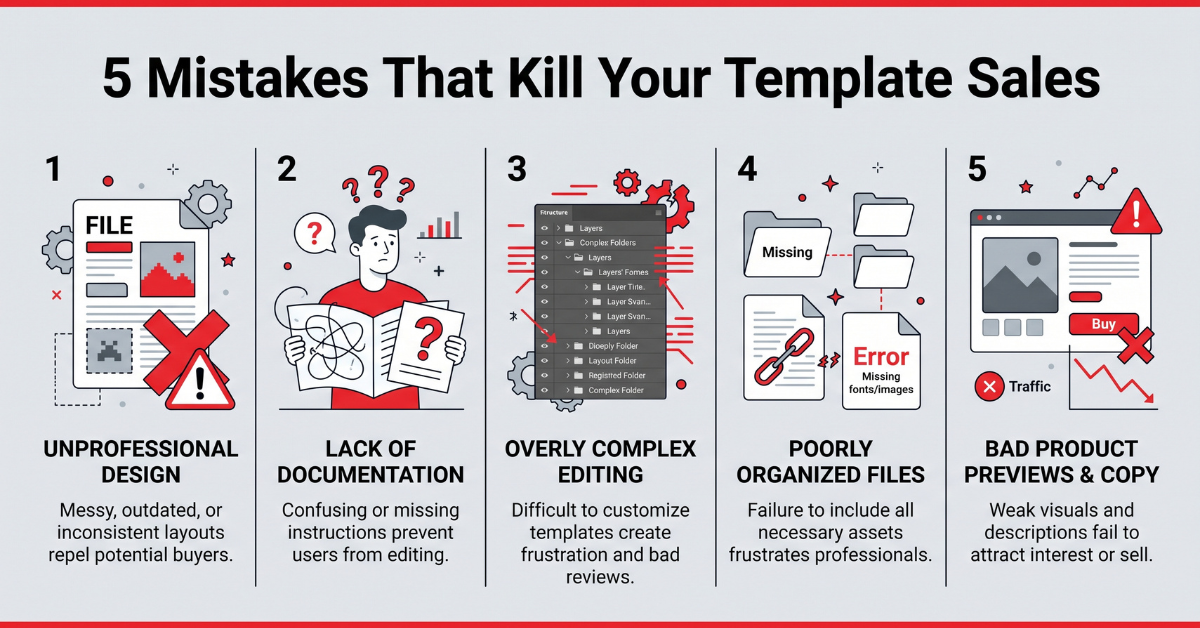
Most failed template launches share the same handful of preventable errors.
- Building for yourself instead of a specific buyer. A template designed to be “useful for everyone” usually converts poorly because the listing copy cannot speak directly to any one buyer’s specific pain point. Narrowing your target buyer almost always increases conversion, even though it feels counterintuitive to shrink your addressable market on purpose.
- Skipping the demo video entirely. Listings with even a 30-second screen-recording demo consistently outperform static screenshot-only listings, because buyers want to see the product functioning before they trust it. This is especially true for anything AI-assisted, where buyers want reassurance the workflow actually works as described.
- Pricing based on effort instead of outcome. A template that took you four hours to build but saves a buyer forty hours of work is dramatically underpriced at $5 — price the outcome, not your labor.
- Launching once and abandoning promotion. Most sales momentum comes from repeated, varied promotion across weeks and months, not a single launch-day announcement. A template mentioned once and never again will almost always underperform one that gets referenced periodically across months of ongoing content.
- Never collecting or acting on buyer feedback. Sellers who update their templates based on early buyer questions consistently see higher review scores, which directly improves ranking inside Gumroad Discover.
- Ignoring the product description’s structure. A wall of unformatted text loses buyers within seconds. Short paragraphs, a clear bullet list of what’s included, and a bolded outcome statement near the top all measurably improve read-through and conversion.
- Treating the first template as the only template. Sellers who stop after one product rarely reach meaningful monthly income, since a single product has a natural ceiling. Catalog depth is one of the strongest predictors of long-term revenue in this model.
Scaling From One Template to a Full Product Catalog
Once your first template has proven itself with even modest, consistent sales, the highest-leverage next move is rarely to endlessly optimize that single product. It is to build outward into a connected catalog that turns one-time buyers into repeat customers.
The “Ladder” Product Strategy
Structure your catalog like a ladder: a low-cost entry product that is easy to say yes to, a mid-tier core product that solves the main problem completely, and a premium bundle or done-with-you offer for buyers who want the fastest possible result. Each rung introduces buyers to the next, since satisfied buyers of your cheapest product are your warmest possible audience for your most expensive one.
Cross-Selling Through Related Problems
Look for adjacent problems your existing buyers likely face. Someone who buys a freelance invoice template almost certainly also deals with client onboarding, proposal writing, and time tracking — each of which is a legitimate, separate product opportunity rather than a feature to cram into the original template.
When to Retire or Refresh an Underperforming Template
Not every product will succeed, and that is a normal, expected part of building a catalog rather than a sign of failure. If a template has had a fair promotional push over eight to twelve weeks with minimal traction, revisit whether the underlying problem was specific enough, whether the listing copy clearly communicates the outcome, or whether the price matches buyer expectations for that category, before deciding whether to relaunch it with changes or retire it in favor of a new idea informed by what you learned.
A Realistic Weekly Time Investment Plan
One of the most common questions from people considering this model is simply: how many hours per week does this actually take? The honest answer changes depending on the phase you are in, and setting realistic expectations for each phase prevents the discouragement that causes most beginners to quit too early.
Phase One: Building Your First Template (Weeks 1–2)
Expect to spend four to six hours total across research, drafting with AI assistance, design polish, and writing your first listing. This is the heaviest single time investment in the entire process, and it front-loads naturally since you are building both the product and your first repeatable workflow at the same time.
Phase Two: Initial Promotion (Weeks 3–8)
Budget roughly two to three hours per week for creating a demo video, writing a supporting blog post, and posting short-form clips. This phase is where most of the compounding groundwork gets laid, even though visible revenue is often still modest during this window.
Phase Three: Maintenance and Catalog Expansion (Month 3 Onward)
Once your first template has stable, recurring sales, ongoing maintenance typically drops to one to two hours per week, freeing up time to invest in building your second and third products using the same repeatable four-step process covered earlier. This is the phase where the model starts to feel genuinely passive, since past products continue selling with minimal ongoing attention while new time investment goes toward catalog growth rather than maintenance.
Tracking What Matters: Metrics Every Seller Should Watch
It is easy to get distracted by vanity metrics like total page views. A more useful habit is tracking a small handful of numbers that directly correlate with revenue growth in this specific business model.
Listing Conversion Rate
The percentage of visitors to your Gumroad listing who actually complete a purchase is the single clearest signal of whether your product page, pricing, and positioning are working. If traffic is healthy but conversion is low, the fix is almost always in the listing copy or preview content, not in acquiring more traffic.
Repeat Buyer Rate
The percentage of past buyers who purchase a second template from your catalog indicates how well your products and follow-up communication are building trust over time. A rising repeat buyer rate is one of the strongest indicators that a catalog-building strategy is working as intended.
Revenue Per Traffic Source
Tracking which specific channel — YouTube, blog search, or short-form social — is generating the highest revenue per visitor tells you where to concentrate your limited time going forward, rather than spreading effort evenly across channels regardless of actual performance.
Long-Term Outlook: Where This Trend Is Heading
Looking further out, three developments seem likely to shape this space over the next few years. First, buyer expectations around what a “template” includes will keep rising — static files alone will increasingly need to be paired with some form of interactive or AI-assisted element to stand out. Second, platforms including Gumroad will likely continue investing in better discovery tools, which rewards sellers who build a genuine catalog and reputation rather than chasing a single viral product. Third, as more creators enter the space, the sellers who differentiate through a specific professional niche and genuine subject-matter expertise will consistently outperform generalist sellers competing purely on price.
None of these developments should be read as reasons to wait. Each one is, if anything, a reason to establish an early reputation and catalog now, while the competitive bar for a well-executed, specific, professionally credible template store remains genuinely achievable for an individual creator working part-time.
Getting Your First Reviews and Social Proof
Early reviews carry disproportionate weight in a buyer’s decision, since a product with zero reviews asks a stranger to trust your claims entirely on faith. Getting your first handful of reviews should be treated as a deliberate task, not something you passively hope happens on its own.
Ask Directly, at the Right Moment
The best time to request a review is shortly after a buyer has had enough time to actually use the template, not immediately at checkout. A simple follow-up email a few days after purchase, thanking them for buying and asking for a short review if the template has been useful, consistently outperforms a generic “please leave a review” message sent immediately.
Offer Your First Templates to a Small Trusted Group
Before a full public launch, consider offering early access to a small group of five to ten people from your existing network or audience in exchange for honest feedback and a review once genuinely satisfied. This both surfaces any usability issues before a wider audience sees them and seeds your listing with initial social proof from day one.
Respond Publicly and Professionally to Every Review
A thoughtful public response to both positive and constructive reviews signals to future buyers that a real, attentive person stands behind the product. This is a small habit that meaningfully increases buyer confidence, particularly for higher-priced premium-tier templates where buyers are doing more due diligence before purchasing.
A Note on Taxes and Treating This as a Real Business
Once your template sales move beyond occasional pocket money, it is worth treating the activity as an actual small business from a recordkeeping standpoint, even if you never plan to grow it into a full-time venture.
Keep Simple, Consistent Records
Gumroad provides sales and payout reports that make basic recordkeeping straightforward. Downloading and saving these reports monthly, rather than trying to reconstruct a full year of sales activity at tax time, saves significant stress and reduces the risk of reporting errors.
Understand That Digital Product Income Is Still Taxable Income
In the United States, income earned from selling digital products is generally treated the same as any other self-employment or business income and needs to be reported accordingly. Requirements vary by individual circumstances, income level, and state, so consulting a tax professional familiar with self-employment and digital product income once your sales become meaningful is a sensible step rather than an optional afterthought.
Start Selling Your First AI Template Today

The barrier to entry has never been lower — the opportunity window will not stay this wide forever.
The window for building a meaningful passive income stream from AI templates is not closing anytime soon, but it is also not staying wide open forever. As more sellers enter the space, the advantage increasingly shifts toward creators who move early, iterate quickly, and build genuine distribution rather than relying on Gumroad Discover traffic alone.
If there is one takeaway from everything covered in this article, it is this: you do not need a large audience, a design background, or months of preparation to launch your first template. You need one specific, validated problem, one afternoon of focused work using AI tools to accelerate the build, and one clear promotional channel to get it in front of the right buyers.
Start small. Launch one template this week. Let the market tell you what to build next.
Whatever you choose to build first, resist the temptation to wait for a perfect idea or a fully polished first draft. The creators who actually build meaningful income from this model are rarely the most naturally talented designers or the most technically sophisticated AI users — they are simply the ones who shipped a reasonably good product, put it in front of real buyers, listened to what those buyers told them, and repeated the process a handful of times over several months. That is a far more achievable standard than most people assume when they first hear about passive income from digital products, and it is entirely within reach starting this week.
💡 Frequently Asked Questions (FAQ)
Q1. Is it too late to start selling AI templates on Gumroad in 2026?
No. While competition has increased compared to two years ago, buyer demand has grown even faster as AI tool adoption spreads beyond early adopters into mainstream professional and consumer use. The opportunity has shifted from “first mover advantage” toward “best execution advantage” — meaning quality, specificity, and marketing now matter more than simply being early. In practice, this means a well-researched, narrowly targeted template launched today with genuine promotional effort behind it can still outperform a broad, generic template that was among the first of its kind years ago but was never updated or actively marketed. The market has matured, not closed.
Q2. How much can a beginner realistically expect to earn in the first three months?
Results vary widely based on niche selection and promotion effort, but a realistic early-stage range for a consistent, actively promoted seller is roughly $100 to $500 per month by month three. Income in this model compounds over time rather than arriving immediately, so the first ninety days should be treated as a validation and audience-building phase rather than a profit phase. Sellers who already have some form of existing audience, even a small one, tend to see faster initial traction than sellers starting completely from zero, since the first several sales often come from warm connections before organic search or video traffic has had time to build momentum.
Q3. Do I need design or coding skills to create AI templates?
No advanced design or coding skills are required for the vast majority of successful template categories. Tools like Notion, Canva, and Google Sheets provide accessible drag-and-drop interfaces, and AI tools like ChatGPT can generate the underlying structure, copy, or formulas. Basic visual organization and attention to detail matter far more than technical skill. The skill that actually separates successful sellers from unsuccessful ones is far more often domain knowledge — a genuine understanding of the specific problem being solved — combined with a willingness to consistently promote the finished product, rather than any particular technical ability.
🌿 Weekly wellness, health & beauty insights — straight to your inbox
Free subscription · Cancel anytime