Vibe Coding Passive Income: How to Build Simple Web Apps (Even If You Can’t Code)
Vibe coding turns plain-English ideas into working web apps — no computer science degree required.
Vibe coding passive income has quickly gone from a niche experiment to one of the most realistic ways for an ordinary person to build a real, recurring revenue stream online. Three years ago, if you told me a person with zero programming background could build, launch, and monetize a working web application in a single weekend, I would have laughed. Living in California, in the middle of a tech ecosystem that treats “learn to code” as gospel, I watched friends spend eighteen months in bootcamps just to land an entry-level developer job. Today, that entire calculus has changed. A new discipline — one that developers half-jokingly call “vibe coding” — has quietly become one of the most accessible ways to generate real, recurring, semi-passive income online.
This is not a get-rich-quick pitch. Building an income-generating app still takes real work: research, iteration, marketing, and patience. But the barrier to entry — the part that used to require years of formal training — has collapsed. In this guide, I’ll walk you through exactly what vibe coding is, why it works as a passive income strategy, which tools to use, how to pick a winning idea, how to build and ship your first app, and how to actually turn it into money. By the end, you’ll have a concrete roadmap you can start executing today.
I’ve deliberately structured this guide the way I’d want it structured if I were starting from zero: concepts first, so you understand why this works, then a step-by-step process you can follow in order, and finally the mistakes and edge cases that only become obvious after you’ve already made them once. Feel free to read it straight through, or jump directly to whichever stage matches where you currently are — whether that’s still choosing an idea, mid-build and stuck, or already live and looking for your first dollar of revenue.
Why This Matters Especially If You Already Run Content Channels
If you’re reading this because you already run a YouTube channel, a blog, or an online store around a connected topic, you’re in a stronger starting position than almost anyone else attempting this for the first time. You already understand your audience’s pain points, you already have a distribution channel to announce a new tool the moment it’s live, and you already know how to iterate publicly based on feedback — which is the exact skill set vibe coding rewards most. The gap between “creator with an audience” and “creator with an audience and a monetized tool” has never been smaller than it is right now, and closing that gap doesn’t require you to become a developer. It simply requires applying the same content instincts you’ve already built to a new medium.
What Exactly Is “Vibe Coding”?
The term “vibe coding” was popularized in early 2025 to describe a style of software development where a person describes what they want in natural language — the “vibe” of the app — and an AI model generates, tests, and refines the underlying code. Instead of manually writing every function, the creator acts more like a director: describing features, reviewing output, and course-correcting until the app matches their vision.
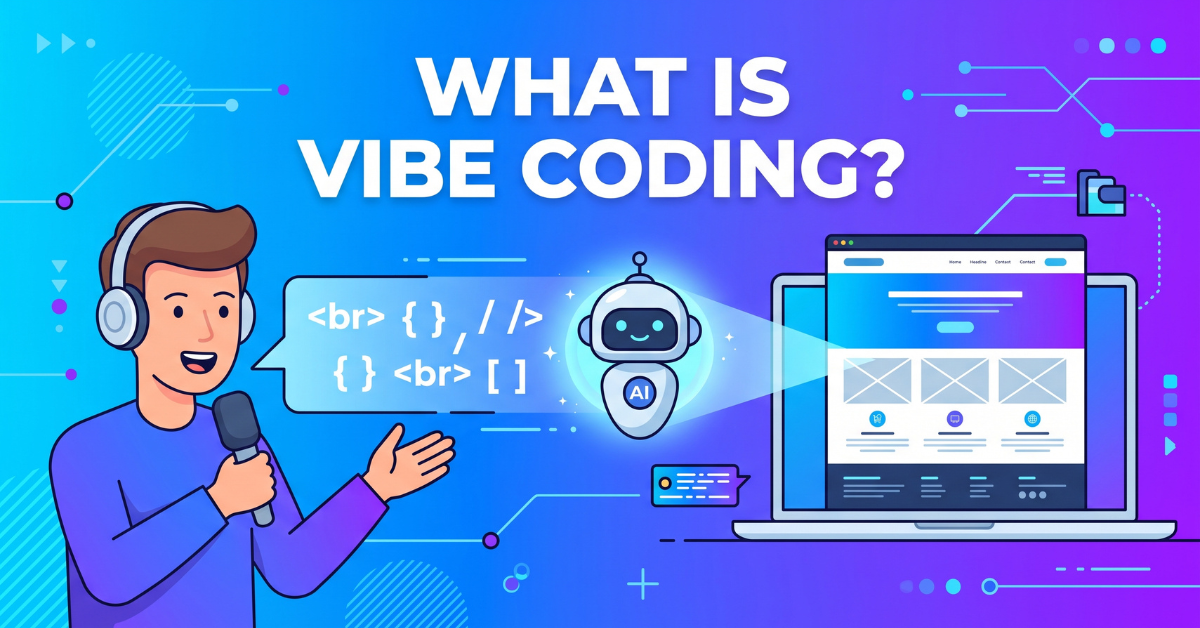
Vibe coding replaces syntax with conversation — you describe the app, the AI writes it.
From “Learn to Code” to “Learn to Prompt”
Traditional software development required fluency in a programming language, an understanding of frameworks, and the patience to debug cryptic error messages. Vibe coding shifts the required skill from syntax memorization to clear communication. The most successful vibe coders I’ve studied share three traits:
- They can describe a problem in plain, specific English.
- They understand basic product logic — what a user needs to do, step by step.
- They’re comfortable testing, breaking, and re-testing something until it works.
None of these traits require a computer science degree. They require patience and a willingness to iterate — the exact same mindset that makes someone good at running a YouTube channel or a niche blog.
Why This Isn’t Just a Fad
Skeptics dismissed vibe coding as a toy for hobbyists when it first emerged. That skepticism has faded fast. Major venture-backed platforms, well-funded startups, and even enterprise teams now use AI-assisted development pipelines to prototype and ship products faster than ever. The tools have matured from novelty demos into production-grade platforms capable of handling authentication, payments, and databases — the exact infrastructure a small passive-income app needs.
A Short History: How We Got Here
To appreciate how fast this shift happened, it helps to look back just a few years. In the early 2020s, AI coding assistance meant autocomplete suggestions inside a code editor — useful, but still requiring the human to write, structure, and understand every file. The term itself was coined by AI researcher Andrej Karpathy in a February 2025 post describing a workflow where a developer “fully gives in to the vibes” and lets an AI model handle the code. By the middle of the decade, that changed dramatically. AI models became capable of holding an entire application’s architecture in context, writing multi-file features in a single pass, and even testing their own output before handing it back to the user. What used to be “autocomplete for developers” became “a junior engineer you can talk to in plain English,” and eventually, for simple projects, something closer to a full development team compressed into a chat window.
This progression matters because it explains why vibe coding isn’t a gimmick that will disappear next year. It’s the natural endpoint of a decade-long trend of AI models getting better at understanding intent, not just syntax. Every generation of these tools has made the gap between “having an idea” and “having a working product” smaller. There’s no indication that trend is reversing — if anything, the apps a solo creator can realistically ship in a weekend today would have required a small funded team just a few years ago.
What Vibe Coding Is Not
It’s worth being equally clear about the limits. Vibe coding is not a way to build the next large-scale, venture-funded platform with millions of concurrent users and complex compliance requirements — that still demands experienced engineering teams, security audits, and infrastructure expertise. It’s also not a way to skip understanding your product entirely; you still need to know what “done” looks like, test rigorously, and make judgment calls the AI can’t make for you, like which trade-off best serves your actual users. Vibe coding excels specifically in the category this guide focuses on: small, single-purpose web apps that solve one clear problem for a defined audience. That narrower scope is precisely what makes it achievable for a solo creator working part-time, and precisely why it pairs so well with a passive-income goal rather than a venture-scale one.
Why Vibe Coding Is a Legitimate Passive Income Model
A single well-built micro-app can keep generating revenue long after the initial build is finished.
“Passive income” gets thrown around loosely online, so let’s define it honestly here: it means income that continues to arrive with minimal day-to-day effort after the initial work is done. As IBM’s own explainer on the technology notes, the whole point of this approach is letting AI agents handle the repetitive, technical work while the human focuses on direction and judgment — which is exactly the division of labor that makes vibe coding passive income achievable for someone without an engineering background. A simple web app fits that definition better than almost any other online business model, for a few structural reasons.
1. Low Marginal Cost Per User
Unlike a service business, a web app doesn’t require your personal time for every new customer. Once it’s built and hosted, the 1st user and the 10,000th user cost you roughly the same amount of ongoing effort — usually just server costs that scale in cents, not hours.
2. Compounding Distribution
A simple, useful tool tends to get shared organically — in Reddit threads, Slack channels, X (Twitter) posts, and “best tools” roundup articles. Unlike a piece of content that fades from relevance after a few weeks, a functional tool keeps solving the same problem for new visitors indefinitely, which means your traffic curve can keep climbing without new promotional effort.
3. Multiple Monetization Layers
A single app can be monetized through display ads, a premium subscription tier, affiliate placements, or even a one-time acquisition sale. That flexibility means you’re not locked into one revenue stream, and you can layer new ones on top of an existing, already-built product.
A Word of Realism
I want to be direct: most simple apps will not make you rich, and results vary enormously based on the problem you solve, how competitive the niche is, and how much marketing effort you put in after launch. Some creators earn a few hundred dollars a month from a single tool; a smaller number build portfolios of a dozen small apps that add up to a full-time income. Treat this as a skill you’re building over multiple attempts, not a single lottery ticket.
How This Compares to Other “Passive” Online Income Models
If you already run a blog or a YouTube channel, you understand the passive-income trade-offs of content creation: you front-load effort into a video or an article, and it can keep earning ad or affiliate revenue for months or years afterward. Vibe-coded apps share that same compounding logic, but with a few meaningful differences worth understanding before you dive in.
- Content vs. Utility: A blog post or video earns attention once and then fades in relevance as the topic ages. A useful tool keeps solving the exact same problem for every new visitor, indefinitely, without needing to be “refreshed” the way stale content does.
- Discovery Channel: Content typically relies on a platform’s algorithm or search engine to surface it. A tool can be discovered the same way, but also gets bookmarked, shared directly between colleagues, and embedded into workflows — a stickier form of distribution than a one-time video view.
- Maintenance Burden: Content requires almost no maintenance once published. A live app does require occasional attention — a broken feature after a browser update, a hosting bill to monitor, a security patch. This is real, ongoing (if usually light) work that pure content doesn’t demand.
The most efficient creators don’t treat these as competing strategies — they treat them as complementary. A blog post explaining a problem can link directly to a tool that solves it; a YouTube video demonstrating a workflow can end with “and here’s the free tool I built to make this faster.” Each channel makes the others more valuable, which is exactly the kind of cross-channel leverage worth building deliberately once you have more than one property to work with.
The Economics of a Micro-App, Broken Down
It helps to think about a simple app the way you’d think about a small rental property. There’s an upfront investment — in this case, mostly time rather than capital — followed by ongoing, usually modest, operating costs: hosting fees, a domain renewal, occasional maintenance. Against that cost sits the revenue side: ad impressions, subscription payments, or affiliate commissions. Because the operating costs of a simple app are so low compared to almost any other online business — no inventory, no shipping, no customer service team — even a modest amount of consistent traffic can produce a healthy margin. This is the core economic argument for why simple, boring, useful apps are worth building even when they’ll never be a “unicorn” business.
The Toolkit: AI Platforms Every Vibe Coder Should Know
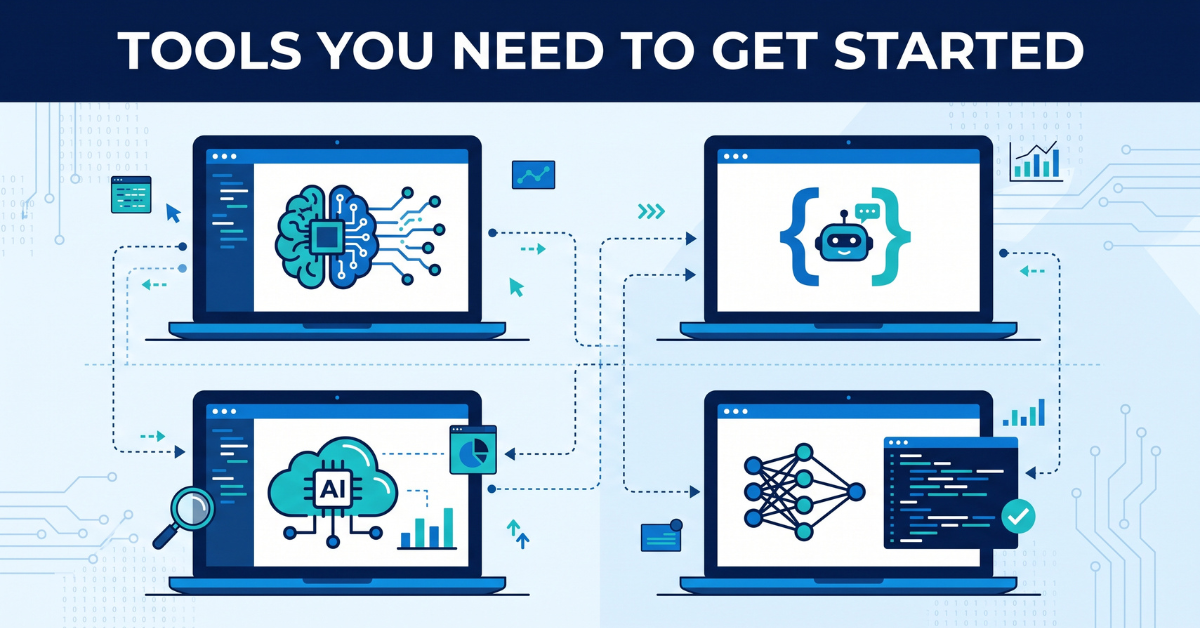
You don’t need a full development stack — just a handful of the right AI-native tools.
The vibe coding ecosystem has grown fast, and new tools appear every few months. Rather than chasing every new release, focus on mastering one tool from each of these three categories.
Category 1: AI App Builders
These platforms let you describe an app in a chat interface and receive a working, deployable front end and back end within minutes. They typically include built-in hosting, so you can go from idea to a live URL without ever touching a terminal. Look for a platform that supports:
- Database integration (for storing user data)
- Authentication (so users can log in)
- One-click deployment
Category 2: AI Coding Assistants for Editors
Once your app gets more complex than a chatbot can handle in a single conversation, you’ll want an AI-native code editor. These tools sit inside a familiar coding environment but let you describe changes in plain English, and the AI edits multiple files at once, understands your existing codebase, and can even run and fix its own errors.
Category 3: Infrastructure & Security
This is the layer most beginners forget. As soon as your app starts handling real user data — even something as simple as an email signup — you need to think about privacy, secure connections, and testing your app under different network conditions. Many vibe coders also test their apps’ regional pricing pages or geo-based features using a reliable VPN, since it lets you preview your live app exactly as visitors in different countries would see it, and keeps your development traffic secure while you’re iterating in public coffee shops or shared co-working spaces.
Understanding the Real Cost of Getting Started
One of the more surprising aspects of vibe coding is just how little it costs to get a first project live. Many AI app builders offer a free tier generous enough to build and launch a genuinely functional MVP without spending anything, with paid tiers only becoming necessary once you need higher usage limits, custom domains at scale, or more advanced integrations. A realistic starting budget for a first serious attempt — covering a modest subscription to one AI tool, a custom domain, and basic hosting — typically lands in the range of a single dinner out per month, which is a remarkably low barrier compared to almost any other online business model that requires inventory, ad spend, or specialized equipment to get off the ground.
That said, don’t let the low cost tempt you into skimping on the one resource that actually matters most: your own time spent validating the idea properly before you build. A free tool built around an unvalidated idea still costs you the hours spent building it, and those hours are the real investment in this business model, not the dollars.
Recommended Resource: If you’re testing or deploying apps across regions, a dependable VPN is one of the most underrated tools in a vibe coder’s kit.
How to Choose Between Competing Tools
New platforms enter this space constantly, and it’s tempting to spend more time researching tools than actually building. A simpler filter works better: pick one AI app builder that includes hosting and a database out of the box, and commit to learning it deeply for at least your first three projects before switching. Tool-hopping is one of the most common ways beginners waste momentum — every platform has a slightly different way of phrasing prompts effectively, and that fluency only comes from repeated use, not from reading comparison articles.
When you do evaluate a new tool, judge it against three practical questions rather than marketing claims: Can it export or let you own your code if you ever want to migrate? Does it support the specific integrations your idea needs, such as payment processing or email collection? And does its free tier let you actually finish and launch a real project, not just a limited demo? A tool that scores well on those three questions will serve you better than one with a flashier interface but weaker fundamentals.
Building a Repeatable Personal Workflow
The creators who build multiple successful apps over time almost always develop a personal checklist they reuse for every project — a private version of this entire guide, tailored to their own habits. It typically includes a standard set of starter prompts for setting up the app skeleton, a fixed sequence for testing across devices, and a short list of “boring but necessary” steps like the privacy policy and analytics setup mentioned earlier. Investing an afternoon into documenting your own version of this workflow after your first project will save you significant time on your second, third, and fourth.
Step 1: Finding a Profitable, Simple App Idea

The best passive-income apps solve one narrow, annoying problem extremely well.
The single biggest mistake new vibe coders make is choosing an idea that’s too ambitious. You are not building the next major social platform. You’re building a tool that does one small job perfectly. Here’s a repeatable process for finding one.
1. Mine “How Do I…” Searches
Use a free keyword research tool and search for phrases like “how do I calculate,” “free online tool for,” or “convert X to Y.” Any recurring search query that currently gets answered by a clunky, ad-cluttered, decade-old website is a strong candidate — you can usually beat it just by building something clean and fast.
2. Watch for Repeated Complaints
Scroll through niche subreddits, Facebook groups, or Discord communities related to a hobby or profession. Look for the same complaint appearing over and over — “I wish there was a tool that just did X” is the exact sentence you’re hunting for.
3. Validate Before You Build
Before writing a single prompt, check three things:
- Search volume: Is anyone actually looking for this?
- Existing competition quality: Are current solutions genuinely bad, slow, or outdated?
- Monetization fit: Would this attract advertisers, or could you charge a small subscription for an advanced version?
Good beginner categories include calculators (loan payoff, tip splitting, unit conversion), simple generators (name generators, random picker tools, QR code makers), and small productivity utilities (Pomodoro timers, habit trackers, file converters). None of these are exciting, but “boring and useful” is exactly what drives consistent search traffic month after month.
Want a shortcut? We keep a running list of validated, low-competition app ideas updated monthly.
Leverage the Niches You Already Understand
Because you already operate a YouTube channel, a blog, and a sales site around a connected topic, you have an unfair advantage most first-time vibe coders don’t: deep, first-hand knowledge of what your audience actually struggles with. Before searching for ideas in unfamiliar territory, spend an hour reviewing your own comment sections, customer messages, and support questions. The tool ideas hiding in that feedback tend to validate faster than anything you’d find through generic keyword research, because you already have a built-in audience who will use, share, and give feedback on the first version.
The “Ugly Spreadsheet” Test
One of the most reliable signals of a good micro-app idea is finding evidence that people are already solving the problem manually with a spreadsheet, a sticky note, or a clunky combination of separate tools. If you can find a public spreadsheet template, a forum thread with a shared formula, or a YouTube comment describing a manual workaround, you’ve found proof that real demand exists — and a clear blueprint for what your app’s first version needs to automate.
Ranking Your Shortlist
Once you’ve gathered five or six candidate ideas, score each one from 1 to 5 across three dimensions: how painful the problem is for the person experiencing it, how outdated or weak the current solutions are, and how quickly you could realistically build a first version given your current tool fluency. Add the three scores together and start with whichever idea ranks highest. This simple scoring exercise takes fifteen minutes and prevents the common trap of chasing the idea that sounds most exciting rather than the one most likely to actually ship and succeed.
Step 2: From Prompt to MVP — The Build Process
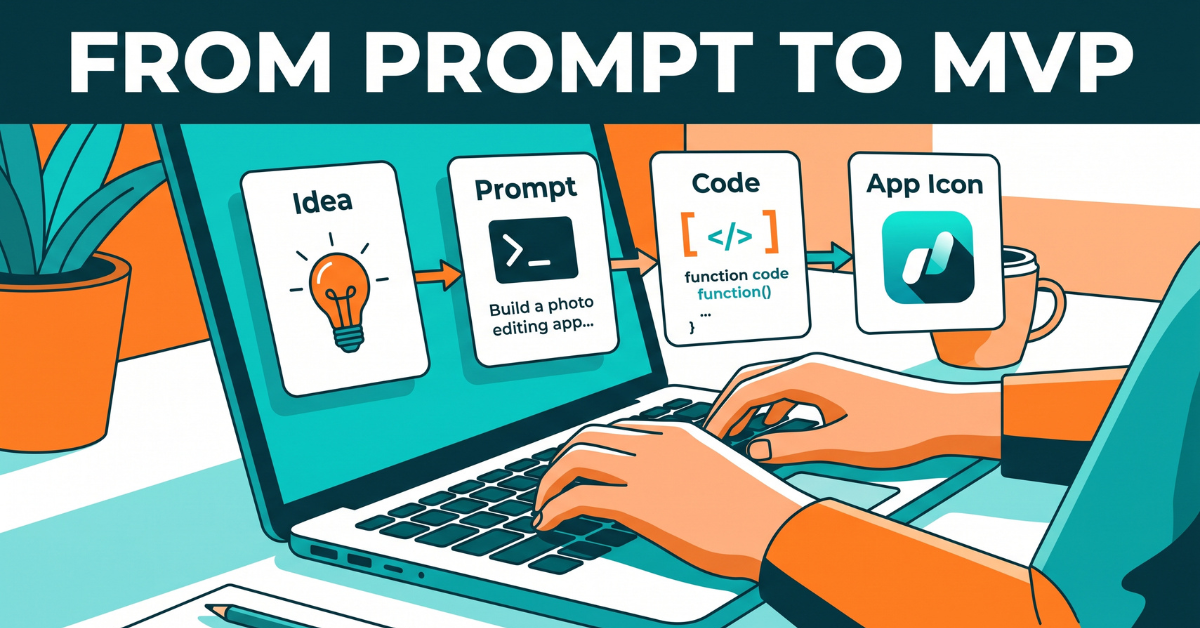
A good MVP takes a weekend, not a quarter.
Once you have a validated idea, the actual build is where vibe coding shines. Here’s the process I recommend, broken into stages.
Stage 1: Write a “Spec in Plain English”
Before opening any tool, write two or three paragraphs describing exactly what the app does, who it’s for, and what the user sees on their first visit. Vague prompts produce vague apps. A spec like “build a tip calculator” will get you something generic. A spec like “build a tip calculator with a slider for tip percentage, a field for number of people splitting the bill, and a clean result showing per-person amount, styled with a minimal black-and-white design” will get you something close to launch-ready on the first try.
Stage 2: Generate the First Version
Paste your spec into your AI app builder of choice and let it generate a first working draft. Resist the urge to ask for every feature at once. Get the core function working first — the single job the app is meant to do — before layering on extras like dark mode, saved history, or account logins.
Stage 3: Iterate in Small, Testable Loops
This is the “vibe” part of vibe coding. Test the app as a real user would. When something looks off or breaks, describe exactly what went wrong instead of guessing at technical terms. “The button doesn’t do anything when I click it on my phone” is a perfectly good bug report for an AI coding assistant — you don’t need to diagnose the root cause yourself.
Stage 4: Add the Boring but Necessary Layers
Before calling it done, make sure your app has:
- A mobile-responsive layout (most of your traffic will be on phones)
- Fast load times — strip out anything that isn’t essential
- A privacy policy page if you collect any user data
- Basic error handling so the app doesn’t crash on unexpected input
Building your first MVP this week? We put together a checklist that covers every one of these stages in more detail.
Writing Prompts That Actually Work
The quality gap between a beginner’s prompt and an experienced vibe coder’s prompt is enormous, and it has nothing to do with technical vocabulary. Experienced vibe coders describe three things every time: the exact user action, the exact system response, and the exact visual outcome. Instead of “make it look nice,” they write “use a centered card layout with generous white space, a single accent color, and a large, easy-to-read result number.” Instead of “handle errors,” they write “if the user enters a negative number, show a small red message below the field instead of letting the calculation run.” Specificity is the entire skill. The more precisely you can picture the finished screen in your own head, the more precisely the AI can build it on the first attempt.
Debugging Without Being a Developer
When something breaks — and something will break — resist the urge to panic or assume you need technical skills to fix it. Describe the problem exactly as you experienced it: what you clicked, what you expected to happen, and what happened instead. If possible, include the exact error message shown on screen, even if it looks like gibberish to you; that text is often exactly what the AI needs to diagnose the issue immediately. Most bugs in a simple app take one or two rounds of this back-and-forth to resolve completely.
Knowing When to Stop Adding Features
There’s a specific moment in every build where the app technically “works” but doesn’t yet feel finished, and the temptation is to keep adding features indefinitely chasing that feeling. Set a hard rule for yourself: once the core function works reliably, the layout looks intentional rather than accidental, and it works on mobile, launch it. Real user feedback after launch is far more valuable than another week of solo polishing, and it’s the only way to find out which additional features are actually worth building next.
Step 3: Deploying Your App to the World
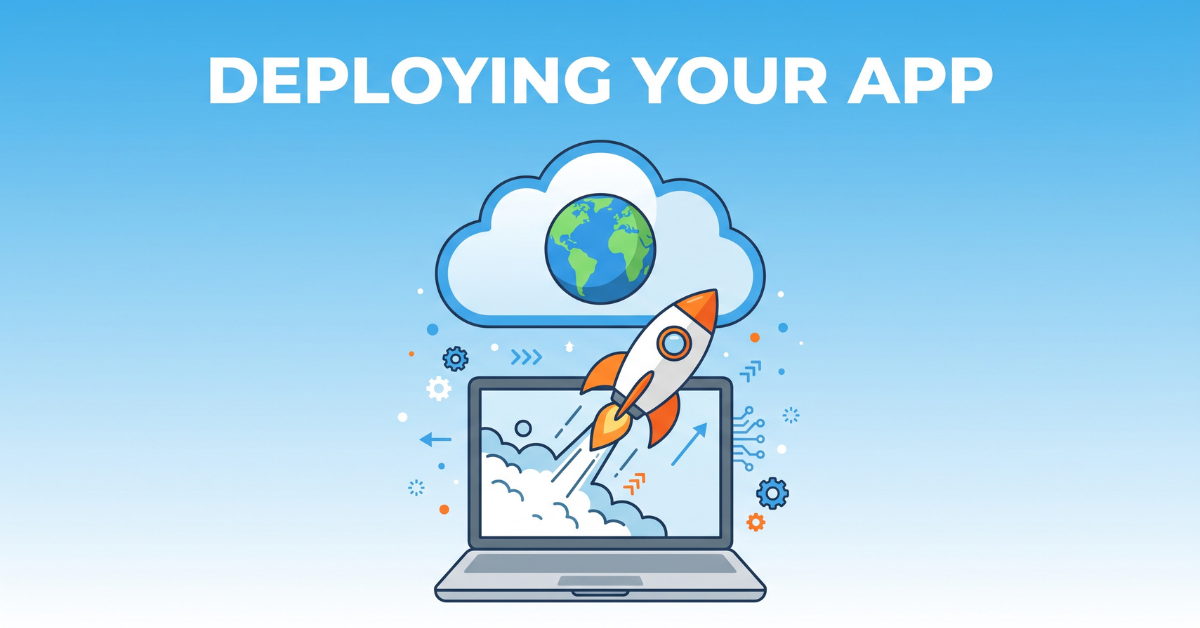
Deployment used to take a DevOps engineer a full day. Now it takes one click.
Deployment is the step that scares beginners most, and it’s ironically the easiest part of the entire process today. Most AI app builders include one-click deployment to a live URL as part of the platform itself.
Choosing a Domain
A custom domain adds credibility and helps with search rankings. Keep it short, easy to spell out loud, and directly related to the app’s function. A domain like “quicktipsplit.com” tells a new visitor exactly what they’re getting before they even click.
Hosting Considerations
For a simple app with modest traffic, most modern hosting platforms offer a free or near-free tier that’s more than sufficient. As traffic grows, watch these three metrics:
- Uptime — a tool that’s frequently down loses trust fast.
- Load speed — every extra second of load time measurably increases bounce rate.
- Cost scaling — understand at what usage level your hosting bill starts increasing, so growth doesn’t surprise you.
Pre-Launch Checklist
Before sharing your link publicly, verify the app works correctly on at least three different devices, confirm any forms actually submit data where you expect it to go, and set up basic analytics so you can see where your first visitors come from.
Ready to go live? Compare the deployment platforms we actually use for our own apps.
Security Basics Every Beginner Skips
Security sounds intimidating, but for a simple app the essentials are manageable even without a technical background. Make sure your live site loads over a secure connection, never store sensitive information like passwords in plain, unencrypted form, and keep any API keys or credentials out of your app’s publicly visible code. Most modern AI app builders and hosting platforms handle the first and third points automatically, but it’s worth explicitly confirming rather than assuming. A single exposed credential can turn a promising small project into an expensive cleanup job, so treat this five-minute check as a non-negotiable part of every launch.
Testing Like a Real Visitor Would
Before announcing your app anywhere, test it the way an actual skeptical stranger would: arrive with no context, try the obvious first action, and see if the intended outcome is immediately clear. Ask a friend or family member who has never seen the project to try it while you silently watch — the exact places they hesitate or click the wrong thing are the exact places your app needs polishing before launch. This kind of outside-eyes testing consistently catches usability problems that are invisible to you after days of staring at your own creation.
Turning Traffic Into Revenue: Monetization Strategies
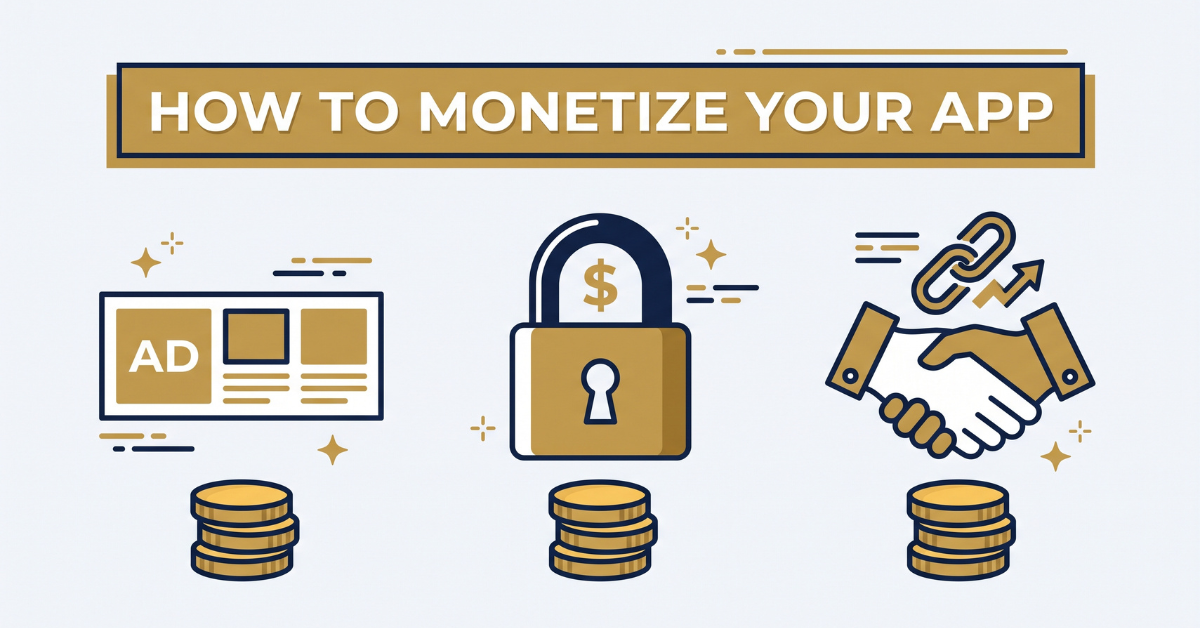
Most successful micro-apps combine two or more revenue streams rather than relying on just one.
Once your app has real visitors, it’s time to convert that traffic into revenue. Here are the four most reliable strategies, roughly ordered by how quickly you can implement them.
1. Display Advertising
The simplest monetization layer. Once your app has consistent daily traffic, you can apply to an ad network and place non-intrusive banner or native ad units around your tool’s functionality — never on top of the core feature itself, which would frustrate users and hurt retention.
2. Freemium Subscriptions
Offer the core tool for free, then gate advanced features — bulk processing, saved history, exporting data, removing ads — behind a small monthly fee. Even a modest conversion rate of 1-2% of active users can produce meaningful recurring revenue once your user base grows into the thousands.
3. Affiliate Placements
If your app naturally sits adjacent to a purchase decision — a budgeting tool near a finance app, a workout timer near fitness gear — a well-placed, clearly disclosed affiliate link can outperform display ads on a per-visitor basis.
4. Selling the App Outright
A profitable, low-maintenance micro-app is a genuine acquisition target on marketplaces where small digital assets are bought and sold. Some vibe coders intentionally build, monetize for a few months to prove revenue, then sell — treating each app as a repeatable production line rather than a single long-term project.
Not sure which model fits your app? We break down real numbers from apps using each strategy.
When to Introduce Monetization
A common mistake is monetizing too early, before the app has proven it retains and satisfies users. Adding ads or a paywall to a tool that isn’t yet reliable or well-loved just adds friction on top of an unfinished experience, and first impressions are hard to undo. A better sequence is to launch free and frictionless, watch how real users behave for several weeks, fix whatever confuses or frustrates them, and only then layer in ads or a premium tier once usage patterns are stable and positive.
Testing Price Points Without Guessing
If you introduce a paid tier, resist picking a price arbitrarily. Look at what comparable tools in your niche charge, and start slightly lower to account for your app being newer and less established. Track your conversion rate closely for the first month; if conversion is unusually high, that’s often a signal you can raise the price without losing many customers, and if it’s very low, the issue is more often unclear value communication than the price itself. Treat your first price as a hypothesis to test, not a permanent decision.
Case Study: A Simple App That Generates Real Income
Small, focused tools consistently outperform ambitious, unfinished ones.
To make this concrete, let’s walk through a representative example modeled on the pattern seen across dozens of indie vibe-coding case studies shared publicly by solo builders.
The Idea
A solo builder noticed a recurring search pattern: freelancers repeatedly searching for a simple way to calculate their effective hourly rate after accounting for taxes, software costs, and unpaid admin time. Existing spreadsheet templates were clunky and required manual math. The builder described a clean, single-purpose calculator to an AI app builder, specifying input fields for gross income, hours worked, and recurring expenses, with a single clear output number.
The Build Timeline
- Day 1: Wrote the plain-English spec and generated the first working version.
- Day 2: Refined the design, fixed mobile layout issues, added a shareable results link.
- Day 3: Connected a custom domain, added basic analytics, and applied for an ad network.
The Growth Curve
Initial traffic came from posting the tool in three relevant online communities where the builder was already an active member — never as a spammy drop-and-run, but as a genuine answer to a discussion thread asking for exactly this kind of tool. Organic search traffic followed over the next several months as the page slowly climbed rankings for its target keyword, since the underlying search volume was consistent and the existing competition was outdated.
The Lesson
Nothing about this app was technically impressive. Its success came entirely from picking a narrow, real problem, executing it cleanly, and giving it time to compound through organic search and word of mouth — the exact playbook available to anyone reading this article.
Want more real build breakdowns? We publish new case studies from solo builders every month.
A Second Example: The Portfolio Approach
Not every successful vibe coder builds one big hit. A different, equally valid pattern involves building a portfolio of five or six small, related apps within the same niche — for instance, a cluster of calculators serving different segments of the same freelancer audience described earlier. Individually, each tool might attract modest traffic. Together, they cross-link to one another, share a consistent design and brand, and multiply each other’s search visibility because they collectively signal topical authority to search engines. This portfolio approach also diversifies risk: if one tool’s niche loses relevance or a competitor launches something better, the others continue generating revenue independently.
What Made the Difference Between Success and Failure
Comparing successful case studies against abandoned projects reveals a consistent pattern: the successful ones were built around a problem the creator had personally experienced or clearly validated through research, while the abandoned ones were usually built around an idea the creator merely found “interesting” without confirming anyone else wanted it. This reinforces the validation process covered earlier — it isn’t a bureaucratic step to skip when you’re excited to start building, it’s the single factor most correlated with whether your finished app ever earns a dollar.
Getting Your First 1,000 Users: Marketing & SEO
A great app with zero visitors earns zero dollars. Marketing isn’t optional — it’s the second half of the job.
On-Page SEO Fundamentals
Even a single-page app needs basic search engine optimization: a clear, keyword-focused title tag, a concise meta description, one H1 that states exactly what the tool does, and fast load times. Google’s own SEO starter guide covers these fundamentals in more depth and is worth bookmarking as a reference. Search engines reward pages that answer a specific query completely and load quickly — both of which a simple, focused app naturally does well.
Community-Led Growth
Identify three to five online communities — subreddits, Discord servers, niche Facebook groups — where your target user already spends time. Participate genuinely for a while before ever mentioning your tool. When you do share it, frame it as a solution to a specific problem someone raised, not a promotional post.
Content as a Distribution Channel
Because you already run a blog and a YouTube channel, you have a distribution advantage most solo builders don’t. A short video demonstrating your app in action, or a blog post explaining the exact problem it solves, can drive a steady trickle of qualified visitors long after the content is published — the same compounding effect that makes both content and apps genuinely passive over time.
Track What Actually Works
Set up basic analytics from day one and review it weekly. Look specifically at which traffic source produces users who actually complete the app’s core action — that’s a far more useful signal than raw visitor count.
Want our full growth playbook? See exactly how we’ve grown apps and content channels together.
Turning One-Time Visitors Into a Reachable Audience
A visitor who uses your tool once and leaves is a missed opportunity to build a lasting relationship. Even a simple, optional email capture — “get notified when we add new features” — turns anonymous traffic into a list you can re-engage later, whether for a new feature announcement, a related app launch, or a promotion on your online store. Keep this opt-in genuinely optional and clearly valuable; a forced signup wall on a free tool will drive away far more users than it converts.
Cross-Promoting Across Your Existing Channels
Since your YouTube channel has already crossed the monetization-relevant milestones of subscribers and watch hours, you have a built-in, warm audience that a brand-new solo builder would need months to acquire from scratch. A short segment at the end of a relevant video, a pinned comment linking to the tool, or a mention in your channel’s community tab can send meaningfully engaged traffic to a new app on day one — traffic that tends to convert better than cold search visitors because it already trusts you.
Building for Long-Term Search Visibility
Search engine rankings for a useful tool tend to improve gradually over months, not overnight, as the page accumulates trust signals like consistent uptime, other sites linking to it, and steady engagement. Be patient with this timeline and avoid the temptation to abandon a well-validated idea just because the first few weeks of organic traffic look unimpressive. Continue supporting the app with the community and content strategies above while search rankings catch up in the background — this is precisely the “patient compounding” period where genuinely passive income later gets built.
Common Mistakes That Kill Vibe-Coded Projects
Having reviewed and tested dozens of these apps myself, the same handful of mistakes show up again and again.
Mistake 1: Building Too Many Features Before Launch
Every extra feature is another thing that can break, another reason to delay launch, and another distraction from validating whether anyone wants the core function at all. Ship the smallest version that solves the problem, then improve based on real user feedback.
Mistake 2: Ignoring Mobile Users
A large share of traffic to any simple tool arrives on a phone. An app that looks great on a laptop but breaks on mobile will bleed users before they ever experience its value.
Mistake 3: Skipping Analytics
Without data, you’re guessing. Install basic analytics before you launch, not after you notice traffic has stalled.
Mistake 4: Abandoning Too Early
Organic search traffic and word-of-mouth sharing both take time to compound. Many builders give up in month one, right before a tool would have started gaining traction. Give a validated idea at least a few months of light, consistent promotion before judging it a failure.
Mistake 5: Neglecting Trust Signals
A missing privacy policy, a broken contact page, or an unprofessional design will quietly repel users even if the core function works perfectly. These details take minutes to fix and materially affect conversion rates.
Mistake 6: Copying a Competitor Feature-for-Feature
It’s tempting to find a successful existing tool and simply rebuild it, but a direct clone rarely outperforms the original, since it starts with zero brand trust and zero existing search rankings. A far stronger strategy is studying what a successful competitor does well, identifying one clear gap or frustration in their experience, and building specifically to fill that gap. Being meaningfully better at one specific thing beats being an identical copy of something people already trust.
Mistake 7: Treating the First Version as the Final Version
The apps that grow into meaningful income streams are rarely identical to their launch-day version. They evolve based on real usage data, support questions, and small experiments with layout or pricing. Build a habit of revisiting your app every few weeks with fresh eyes, reading through any feedback you’ve received, and making one or two small, deliberate improvements each time rather than either freezing development entirely or constantly rebuilding from scratch.
Mistake 8: Measuring Success by the Wrong Numbers
New builders often fixate on total visitor count as the ultimate scoreboard, but raw traffic is a vanity metric if those visitors don’t actually complete your app’s core action or return for a second visit. A tool with a thousand monthly visitors and a high completion rate will almost always out-earn a tool with ten thousand visitors who bounce immediately in confusion. Define your app’s single most important action early — submitting a calculation, completing a signup, clicking through an affiliate link — and track that number religiously above all others. Everything else, including total traffic, matters mainly to the extent it moves that one number.
Mistake 9: Building in Total Isolation
It’s tempting to work in private until an app feels perfect, but sharing rough, early versions with a small trusted group — a handful of engaged subscribers, a private community, a few colleagues in your niche — almost always surfaces problems and opportunities faster than solo development ever will. The most successful vibe coders treat their early users as informal collaborators rather than a final judgment panel, asking specific questions like “what almost made you close this tab” rather than the far less useful “what do you think?”
Legal, Tax, and Business Basics You Shouldn’t Skip
It’s easy to get so absorbed in the building and marketing side of a new app that the administrative basics fall through the cracks. None of this needs to be complicated for a small side project, but a little structure early on saves real headaches later, especially once actual money starts moving through the business.
Separate Your Money From Day One
Even before your app earns its first dollar, it’s worth opening a dedicated bank account or, at minimum, a separate tracking category for any revenue and expenses tied to it. Mixing app income with personal spending makes tax season significantly more painful and makes it much harder to actually see whether a given project is profitable once hosting costs, domain fees, and any paid tools are accounted for.
Understand Your Tax Obligations
Income from ads, subscriptions, or affiliate commissions is generally taxable, and the specific rules for reporting it vary by country and by how much you earn. This guide isn’t a substitute for advice from a qualified accountant, but a reasonable baseline practice is to keep clean, simple records of every payment received and every business expense from the very first month, so that whenever you do sit down with a tax professional — or file on your own — the numbers are already organized rather than reconstructed from memory.
Terms of Service and Privacy Policies Aren’t Optional
Any app that collects even minimal user data — an email address, usage analytics, or account information — should have a clear, honest privacy policy explaining what’s collected and why. Many jurisdictions legally require this, and beyond the legal angle, it’s simply good practice that builds trust with users who are increasingly conscious of how their data gets used. Several free template generators exist specifically for small apps like these, and pairing one with a basic terms-of-service page takes less than an hour to set up properly.
When to Consider a Formal Business Structure
For a first small app earning modest amounts, operating as an individual is usually sufficient in most places. As revenue grows, or once you’re running a small portfolio of apps generating meaningful combined income, it’s worth having a conversation with a local accountant or attorney about whether a simple business structure would offer tax advantages or personal liability protection. This is a “grow into it” decision rather than something to worry about before you’ve validated that a given app can sustain real revenue.
Conclusion: Your Next 72 Hours
Vibe coding has genuinely lowered the barrier between “I have an idea” and “I have a live product,” and turned vibe coding passive income from a buzzword into a repeatable process. The technology handles the syntax; your job is to bring judgment, patience, and a genuine understanding of a real problem worth solving. If you take one thing away from this guide, let it be this: don’t wait for the perfect idea or the perfect tool. Pick one small, annoying problem you’ve personally experienced, describe it in plain English to an AI app builder this week, and get an ugly-but-functional version live within 72 hours. Every profitable app started as exactly that.
The creators who succeed at this aren’t the most technical people in the room. They’re the ones who ship, listen, and iterate — the same instincts that likely already brought you success on your other channels. Bring that same discipline here, and there’s no reason your first simple app can’t become your next reliable revenue stream.
Thinking Beyond Your First App
Once your first app is live and generating even a small amount of consistent traffic or revenue, resist the urge to immediately abandon it in favor of chasing the next idea. Give it a genuine window of a few months of light, ongoing attention — checking analytics, responding to any feedback, making small improvements — before deciding whether to double down, sell it, or let it run quietly in the background while you start a second project. Many of the most successful solo vibe coders describe their income not as one breakthrough app, but as a slowly assembled collection of small, well-maintained tools, each contributing a modest amount that adds up to something substantial when combined. That portfolio mindset, more than any single clever idea, is what separates a one-off experiment from an actual long-term income strategy.
Every skill in this guide — writing a clear spec, validating an idea before building it, testing like a real user, layering in monetization thoughtfully, and marketing with patience — compounds with practice. Your second app will take a fraction of the time your first one did, not because the tools get easier, but because you get better at using them. That improvement curve is the real asset you’re building here, and it’s one no algorithm change or market shift can take away from you.
So close this article, open your notes app, and write down the single most annoying, repetitive small task you’ve dealt with this week — in your content business, your household, or your own workflow. That annoyance, described honestly in a few plain sentences, is very likely the seed of your first app. The tools are ready. The only remaining variable is whether you start.
And if you’re already building something based on what you’ve read here, that’s exactly the outcome this guide was written for. Keep the scope small, keep the validation honest, and give your finished project the same patience you’ve already shown building an audience on every other channel you run. The apps that quietly compound into real income rarely look impressive on day one — they simply get a little better, a little more visible, and a little more useful every month that their creator keeps showing up for them.
There is genuinely no better moment than right now to test this for yourself. The tools are more capable than they’ve ever been, the cost of a failed attempt is lower than it’s ever been, and the audience you’ve already built gives you a running start most beginners simply don’t have. Use that advantage well.
Recommended Tags
vibe coding, passive income apps, AI app builder, no-code development, indie hacker
💡 Frequently Asked Questions (FAQ)
Q1: Is vibe coding actually different from using no-code tools like drag-and-drop website builders?
Yes. Drag-and-drop no-code builders limit you to pre-built templates and components arranged visually. Vibe coding uses AI to generate genuinely custom, functional code from a natural-language description, which means the resulting app can handle more complex logic, custom databases, and unique features that off-the-shelf templates typically can’t support.
—
Q2: How much money does a simple vibe-coded app realistically make per month?
There’s no guaranteed number, and anyone promising one specific figure is not being honest with you. Outcomes depend heavily on the niche, search volume, competition quality, and how much ongoing marketing effort you invest. A tool addressing a narrow, high-intent search query with weak existing competition can realistically produce steady, modest monthly income within several months of consistent traffic, while a tool in a saturated category may struggle to gain traction at all regardless of build quality. Treat early apps as learning projects rather than a single make-or-break bet; income tends to compound as you build a portfolio of tools, refine your validation process, and get faster at shipping with each new attempt.
—
Q3: Do I need to know any coding at all to get started with vibe coding?
No formal coding background is required to start, though a basic understanding of how apps generally work — pages, buttons, forms, and data — makes it much easier to write clear specs and catch bugs during testing. Many successful vibe coders learn just enough technical vocabulary along the way to communicate more precisely with their AI tools, without ever formally studying programming. What tends to matter far more than prior technical knowledge is comfort with an iterative process: describing what you want, reviewing what comes back, noticing what’s wrong, and describing the fix in plain language. If you’ve ever given feedback on a video edit, a piece of writing, or a product mock-up, you already have the core muscle this process requires — vibe coding simply applies that same feedback loop to software instead.
🌿 Weekly wellness, health & beauty insights — straight to your inbox
Free subscription · Cancel anytime